Buy anything from 5,000+ international stores. One checkout price. No surprise fees. Join 2M+ shoppers on Desertcart.
Desertcart purchases this item on your behalf and handles shipping, customs, and support to Vanuatu.
🚀 Elevate your workspace with the ultimate ultrawide powerhouse!
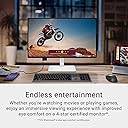
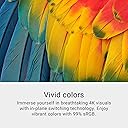
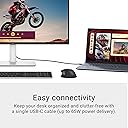
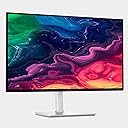
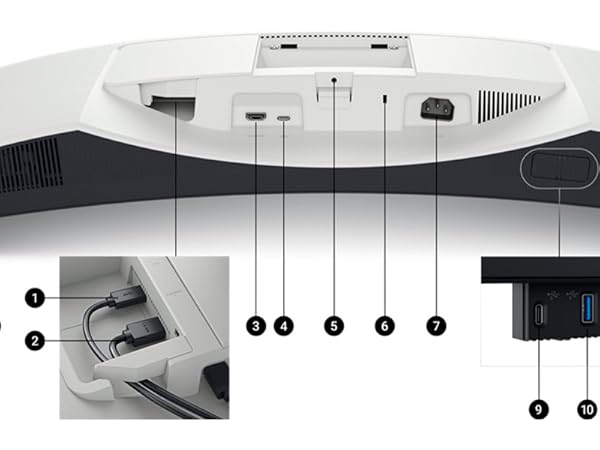
The Dell 34 Plus USB-C Curved Monitor (S3425DW) is a premium 34-inch ultrawide display featuring a 3440x1440 VA panel with a 21:9 aspect ratio, 120Hz refresh rate, and ultra-low 0.03ms response time. It offers vibrant color accuracy with 99% sRGB and 95% DCI-P3 coverage, enhanced by a 3000:1 contrast ratio and HDR readiness. Designed for professionals and creatives, it includes ComfortView Plus for reduced blue light emissions, integrated high-quality speakers, and versatile connectivity options including USB-C with 65W power delivery, HDMI, and multiple USB ports, making it a top-tier choice for immersive productivity and entertainment.


| ASIN | B0F1GFD44G |
| Adaptive Sync | FreeSync Premium |
| Additional Features | Adaptive Sync, Anti Glare Screen, Built-In Speakers, Energy Efficient, Height Adjustment, Pivot Adjustment, Swivel Adjustment, Tilt Adjustment |
| Aspect Ratio | 16:9 |
| Best Sellers Rank | #3,414 in Computers ( See Top 100 in Computers ) #123 in Computer Monitors |
| Brand | Dell |
| Brightness | 350 |
| Built-In Media | 1 USB-C to C 10Gbps 100 W cable - 1 m, Monitor with stand, Power cable, QR card, Safety/Environmental/Regulatory Information, Side I/O cover, VESA cover |
| Color | Ash White |
| Color Gamut | 99 |
| Connectivity Technology | HDMI, USB |
| Contrast Ratio | 1500:1 |
| Customer Reviews | 4.4 4.4 out of 5 stars (525) |
| Display Resolution Maximum | 3840 x 2160 Pixels |
| Display Technology | LED |
| Display Type | ips |
| Hardware Connectivity | HDMI, USB Type C |
| Has Color Screen | Yes |
| Item Dimensions D x W x H | 20D x 61.2W x 38.9H centimeters |
| Item Weight | 6.71 kg |
| Manufacturer | Dell |
| Model Name | S2725QC |
| Model Number | S2725QC |
| Mounting Type | Desk Mount |
| Native Resolution | 3840x2160 |
| Picture Quality Enhancement Technology | In-Plane Switching (IPS) Technology |
| Pixel Pitch | 163 |
| Power Consumption | 25.2 Watts |
| Refresh Rate | 120 Hz |
| Resolution | 4K |
| Response Time | 4 Milliseconds |
| Screen Finish | Matte |
| Screen Size | 27 Inches |
| Specific Uses For Product | Business, Desktop, Photo Video Editing |
| Total Number of HDMI Ports | 2 |
| Total Usb Ports | 4 |
| UPC | 884116485124 |
| Viewing Angle | 178 Degrees |
| Voltage | 240 Volts (AC) |
A**Z
Me encanta, la pantalla es tremenda, la resolución, suena genial y duro, tiene puerto C que facilita las conexiones con cualquier tipo de aparato. Recomendado, cumple con la función que es para trabajar. Lo único es que se demoró demasiado y si no llamo y presiono no llega.
T**S
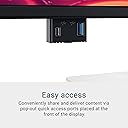
10/10 FANTASTIC MONITOR!!! I use it for editing with my MacBook in clamshell mode. Amazing visuals, large display, hidden pop down for quick usb and usb-c access! Some people mention they can’t control the audio and brightness, but that’s an app setting, not the monitor. Download monitor control for your keyboard to control your volume and steermouse to control and optimize your mouse for editing. All in all, would 110% recommend. Nice and sturdy and for the price?! Crazy awesome!!! 🙌🏻
E**N
Great monitor. Not sure why it’s physically so bulky - check the dimensions to make sure it works for you. The speakers aren’t that great so I’d advise using another audio source. I position the monitor vertically to read webpages and articles and the resolution makes a big difference. 27” monitor is perfect for this type of use. **note: I did have problems with screen out of the box but dell replaced it within a couple of weeks. Might get another at some point, likely damaged in transit…? I definitely recommend this monitor :)
P**A
Let me be clear: I didn’t need a third monitor. I needed a third monitor that could rotate into portrait without making me feel like I was looking at a grocery receipt stapled to a wall. This is that monitor. And regardless of orientation, the display is bright, even, and does not disappoint. The Setup: Look-left slot. Portrait mode for SQL result sets, log tails, and ABAP stack traces that scroll like the Dead Sea Scrolls. Flip it landscape when I’m doing side-by-side field mapping or need to stare at a 200-column staging table and question my career choices. The Random Bits: The integrated speakers exist. They are monitor speakers. Manage your expectations accordingly. I use them for Teams calls when my headset is charging and the experience is “functional in a conference room with no dignity” which is exactly what Teams calls are anyway. Ash White color is clean and doesn’t look like a hospital equipment clearance sale, which some white monitors absolutely do. The integrated sound is solid, much better than the crappy average of most panels, but you aren’t buying this monitor for the sound. Check out my EDIFIER MR5 review for the desk cans I bought to pair with my Data Ninja battlestation. What May Annoy You (but it’s ok..): OSD navigation is four physical buttons on the back-right-bottom edge. Even more annoying on a third monitor, but you will (hopefully) not have to reach for it often. Dell has been doing this since we told them it was a bad idea, and yeah, they still do it. I do get it, I mean who doesn’t love a sexy thin and buttery smooth bottom…bezel. We all love those. 🫣 Bottom Line I’m a data engineer. My left monitor is a working tool, not décor, but the wife likes it, and it breaks from the plethora of tech black-attack. I’m happy with the panel, and after 90 days of 70 hour weeks of solid service, I am glad I pulled the trigger on this premium-adjacent purchase.
J**E
I purchased this around 2 years ago for school. I was surprised to see a $250 USB C 4k 120hz monitor from a reputable manufacturer and thought it was too good to be true. I've been using this with a Windows and a Mac PC on top of a PS5 Pro attached to it. Everything works perfectly. Downloading the software for the monitors allows you to tweak colors and control when the monitor switches over HDMI. The colors and brightness are good. Of course I would love 100% DCI-P3 but 99% SRGB is still very good. The PS5 Pro works flawlessly on these monitors with no issue. The only problem is I can't figure out how to get games to run at 120hz as the monitor only goes to 4k 60hz. That could be user error on my end, I just haven't looked into it much. They are also adjustable. Overall these monitors hold up and have a good price attached to it.
Trustpilot
5 days ago
2 months ago