Buy anything from 5,000+ international stores. One checkout price. No surprise fees. Join 2M+ shoppers on Desertcart.
Desertcart purchases this item on your behalf and handles shipping, customs, and support to Vanuatu.
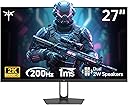
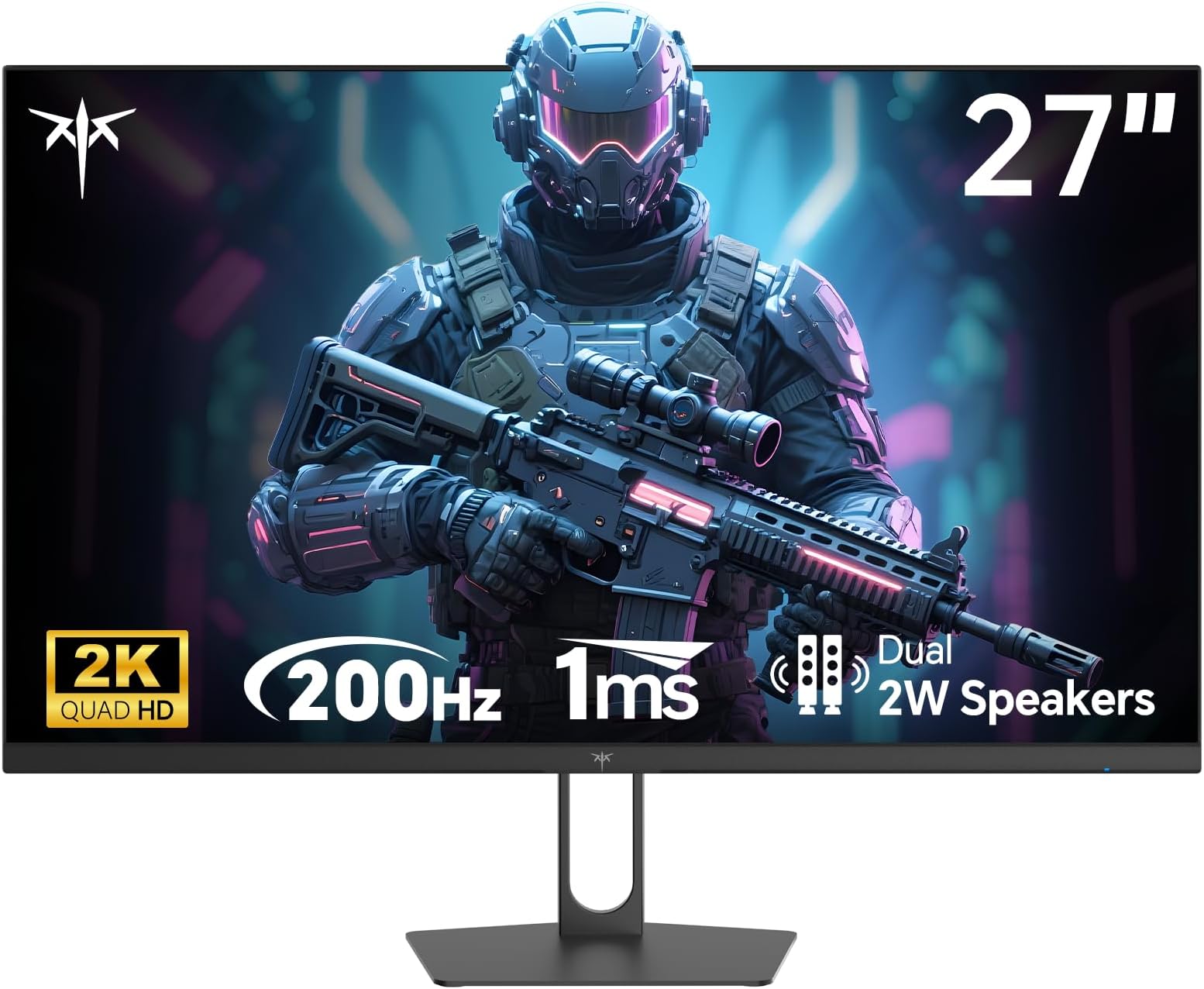
🎮 Elevate your game with KTC’s 27" powerhouse — where speed meets stunning visuals!
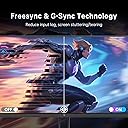
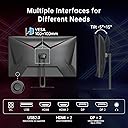
The KTC 27 Inch Gaming Monitor delivers a professional-grade 2K QHD 2560x1440 resolution with an ultra-fast 210Hz refresh rate and 1ms response time, enhanced by Adaptive Sync technologies to eliminate screen tearing. Its fast IPS panel covers 131% sRGB and supports HDR400 for vibrant, true-to-life colors. Equipped with dual HDMI 2.0 and DisplayPort 1.4 inputs, built-in speakers, and a matte finish, it’s designed for immersive gaming, professional editing, and multitasking. Backed by a 3-year warranty, this monitor offers premium performance and reliability at a competitive price.


| ASIN | B0F7R8NMFM |
| Adaptive Sync | FreeSync, G-Sync |
| Additional Features | Built-In Speakers |
| Aspect Ratio | 16:9 |
| Best Sellers Rank | #701 in Electronics ( See Top 100 in Electronics ) #29 in Computer Monitors |
| Brand | KTC |
| Brightness | 450 Candela per Square Meter |
| Built-In Media | Adapter, Power Cord, Base, QSG, DP Signal Cable, Monitor, Screwdriver, Screw |
| Color | Black |
| Color Gamut | 131 |
| Compatible Devices | Gaming Console, Laptop, Smartphone, Tablet |
| Connectivity Technology | DisplayPort |
| Contrast Ratio | 1000:1 |
| Customer Reviews | 4.4 out of 5 stars 2,903 Reviews |
| Display Resolution Maximum | 2560 x 1440 Pixels |
| Display Technology | LCD |
| Display Type | LCD |
| Hardware Connectivity | DisplayPort, HDMI, USB 2.0 |
| Has Color Screen | Yes |
| Image Contrast Ratio | 1000:1 |
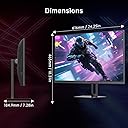
| Item Dimensions D x W x H | 7.28"D x 24.25"W x 18.3"H |
| Item Weight | 5.1 Kilograms |
| Manufacturer | KTC |
| Model Name | H27T22C-3 |
| Model Number | H27T22C-3 |
| Mounting Type | Wall Mount |
| Native Resolution | 2560x1440 |
| Number of Component Outputs | 1 |
| Picture Quality Enhancement Technology | Fast IPS Panel, HDR400, Adaptive Sync |
| Pixel Pitch | 0.23 |
| Refresh Rate | 210 Hz |
| Resolution | QHD Wide 1440p |
| Response Time | 1 Milliseconds |
| Screen Finish | Matte |
| Screen Size | 27 Inches |
| Screen Surface Description | Matte |
| Shape | Flat |
| Specific Uses For Product | Gaming |
| Total Number of HDMI Ports | 2 |
| Total USB 2.0 Ports | 1 |
| Total Usb Ports | 1 |
| Viewing Angle | 178 Degrees |
| Voltage | 240 Volts |
| Warranty Description | 3-Year Manufacturer Warranty |
| Warranty Type | 3 Years Manufacturer Warranty |
J**N
fantastic value for the price Excellent customer service.!
Size: 27 inch | Style: Fast IPS QHD 300Hz This monitor is a fantastic value for the price. The colors are vibrant and really stand out, making everything from games to everyday use look great. The high refresh rate is a big plus for gaming, delivering smooth and responsive performance. Overall, it’s a great choice if you want strong visuals and solid performance without spending too much. I had some trouble, but I was able to RMA and get a new monitor. The picture shows my problem originally. All in all, a great monitor and I'd recommend, especially with great customer service.
C**C
I'm Not A Gamer And I'll NEVER Spend A Lot Of Money On A Monitor
I've been using this Viewsonic VX2778-SMHD 27 inch monitor since Jan, 2017, Very nice monitor! But, then I built a dream machine. i7-14700K on an ASRock Z790 Riptide motherboard with lots of SSD's and NVME drives. 48 gigs of very fast RAM and two DVDRW's. I'm pretty good at this and I did my very best not to allow any bottlenecks and not spend money on silly things. It absolutely screams; it gets stuff done fast! I also have an older Intel computer, an AMD computer, and a Raspberry Pi in here. So I have an HDMI KVM switcher and an HDMI audio extractor (audio goes straight to a competent home stereo). So, I don't play any games anymore, but I do want to get stuff done! There came a point where I wanted to make use of this somewhat better video card that's better than anything I've ever used. (Still not for gaming, tho.) I scoured Amazon. I ended up getting an NVidia GeForce GTX 1660 used, that was DIRT cheap! I chewed my nails wondering if it was going to work, but it did and it does! From the first momen, for about 9 or 10 months! I forget how much memory it's got, but it's up there. So, now, I had this video card mostly going to waste (Except for hardware acceleration; that's really nice!) So, I measured how much room I have. If I looked at monitors with really thin frames around the screen and measured and did the math... I decided on 32 inches. I scoured Amazon again and got to this monitor: (KTC H32T13 32 Inch) I had a little trouble. First of all, I'm lazy. I was still building that i7 and I set the monitor aside after unpacking it and went through all my other stuff I had to do first. (The other 2 computers mentioned above both needed some help.) (And the computer room needed some rearranging.) There's also that fact that there was absolutely nothing wrong with the old Viewsoni; there was no pressure... Anyway! From March 22nd until just now - two days ago - it just sat there. I don't even know where the quick start guide or whatever it is, went to, and I didn't want to conduct a lengthy search. Someone wrote that the power button is in a bad place. It's not that bad at all. I spent a little while finding it; reach your hand around the monitor's right side, near the bottom and feel for it. It sticks way out. The only time I have to reach for it is when I'm leaving the computer room to watch TV or go out or whatever. I can't reach it sitting down, but I'm getting up anyway at that point. Then I was totally puzzled, trying to figure out how to set the settings on the monitor. It wasn't bad, but I wanted to tweak the brightness, contrast, hue, gamma, etc. It took me quite a while to figure out that that power button, which is also a menu button (if you just touch it instead of holding it for three seconds) IS ALSO A JOYSTICK! Remember that! You can move it left, right, up, and down. Once I figured that out, it has a VERY logical, easy to use menu, unlike the Viewsonic mentioned about. The next problem I had was that a lot of things were ghosted in the menu and couldn't be selected. Scratching my head, I theorized that probably the video card was running the monitor and I turned to the NVidia Control Panel on the computer. There are at least three different places to set all that on that i7 machine, but it ended up being the screen display settings that did it. I love this monitor now! Plenty bright, fast, 2K, really great picture!! If the power button in the back is even a negative, I don't mind a bit. Everything else about it is outstanding! In about a minute, I had all those settings set. Beautiful bright, colorful screen! Perfect! I also have an older Silicon Dust HDHomeRun dual tuner. I encountered something that's never happened before! Watched "The Rifleman" in black and white. NEVER BEFORE have I had perfect black and white! Always some kind of tinge, usually in the dark places. I mean PERFECT black and white! Then I watched some stuff on Charge! (Streaming) and I adjusted color saturation and hue and got the skin tones right. Absolutely perfect picture, no matter what I do, now!! This is not a cheap budget monitor; this is an inexpensive performance monitor that works extremely well! I completely recommend it and I think it's a super nice deal for the money!!
S**R
Great lightweight monitor
Great monitor for the price. I love the combination of 24" with 1440p for the high pixel density, but it is hard to find. I live in Paraguay at the moment and it is impossible to get 1440p monitors under 27" here. And even those are really expensive compared to the US. So I had to import them from the US. The freight forwarder is payed by weight and it is pretty expensive, so I tried to find lightweight options. This monitor was a perfect fit for this requirement. The stand is almost all plastic and therefore a bit flimsy but light weight. The monitor itself is also pretty light. The overall build quality is still pretty decent and more importantly the screen itself is pretty good. Definitely good enough for office work or light color work like web design. I don't have a color calibrator or a really accurate screen to compare, but on it's own they look good. I got three and they all match pretty closely too. The three monitors with an outer Amazon box weight 13.6kg. With the extra shipping I payed around 230$ per monitor. Compared to the alternatives here I'm happy with the purchase. At only 120$ if you are in America they are an absolute steal.
X**X
Moderately good monitor
The overall design is standard plastic with a fairly thin bevel along the top and sides. It's actually nearly identical to a flat 34" monitor I have from 7 years ago. But it's lightweight. I hardly notice the light from the LED ring on the back of the monitor - it's pretty dim. There seem to be no settings to control the LED light, other than turning it on/off. When waking up from sleep, the monitor takes a full 3-5 seconds to turn on after my laptop is awake. A few times, the KTC monitor did not turn on at all. I had to manually turn the monitor off, then back on. So that's not so great. This was not an issue with the last 34" UHD wide monitor that is about 7 years old (which I still use), so it's not the laptop causing the long lag time in waking up. Stand The stand is sturdy enough to prevent the monitor from being knocked over by accident; however, if the desk shakes, the monitor shakes slightly more than my other 34" that is connected to a desk mount. My main issue with the stand is that it does not lift the monitor very high, only about 6.5 inches between the surface of my desk and the bottom of the stand. So the top 3.5 inches of my laptop obscures the bottom of the KTC monitor. And the laptop covers about half of the length of the monitor. That's quite a lot of monitor being blocked from view, a very annoying situation when working with programs that place controls along the bottom of the screen. Screen / Image Quality I did have to adjust the color, brightness and contrast to get a closer match my laptop, which has a very bright, high-end display. Out of the box, the color and contrast of the KTC monitor appear washed out and too gray to me. After increasing brightness, saturation and contrast, I had to bring the black point down quite a lot to get something that does not appear to have a wash of light gray over the colors. As a result, I find my "Custom" color setting way better than any of the pre-installed color modes offered in the settings menu. Gaming I don't game off this monitor; however, with a Thunderbolt 4 to DisplayPort cable, I'm getting full resolution at full refresh rates. I don't need the high refresh rate, but the monitor deliveries in these aspects. Overall Rating I've had the monitor for less than 2 weeks from the time of writing this review, so perhaps my opinions will change over time. I think this monitor is fairly good for its price range, so I'm giving it 4 out of 5 Stars. If compared to higher end monitors, this would probably be 3 out of 5 for image quality. Also, I purchased during a sale of over 30% off. That put it at about half the price of many other monitors at this level, which is pretty good. Knowing the image quality now, I don't think I would buy this monitor at full price. At a discount, totally worth it. I do a lot of 3D and video editing work, so color and clarity are important, but not essential. This monitor is in no way a monitor that should be used for exact color correcting or color matching. But, for doing things like creating textures for 3D assets, game engine editors, and video editing where perfect color is not so important, then this monitor works well.
D**S
24 inch 1440p 100hz Monitor
I have been pleasantly surprised with this monitor. It was listed for only $110 and I got it $10 off so paid only $100 + tax. To get a 1440p monitor for so cheap is really incredible. The monitor does kind of have a cheaper feel/weight to it but it preforms well and that's what counts as far as I'm concerned. It came with an HDMI cable which is adequate for a monitor that only does 100hz. If you prefer Display Port than it has an input for that but you will have to provide your own cable. As someone who pretty much exclusively plays single player games 100hz is plenty for me. When I decided to buy the monitor I couldn't find any reviews for this specific version (24" 1440p 100hz). There were plenty of good reviews for other versions but not for this one. I am glad I decided to go ahead and buy it anyway. It really is a nice step up from my previous 1080p 27" 75hz LG monitor which I think was probably meant more for an office than a gamer. I was not sure how noticeable the jump up in resolution would be but it is noticeable and quite nice. The games look better, text is clearer and easier to read, and I noticed that even the UI for Windows and programs I use like Shotcut just look better and seem to be made with higher resolutions (QHD and above) in mind. The jump from 75hz to 100hz has been less noticeable but again I play single player games, also I prefer to play with a controller, and I come from decades of playing on consoles where a solid 30fps is considered pretty good and 60hz a bit of an anomaly. This monitor does accept an HDR signal but I have not been able to test that out much yet. Also I don't believe it has the HDR 400 certification but at this price this is not surprising and from what I hear HDR 400 monitors aren't really all that great for HDR. The cheapest HDR monitor I've scene recommended costs $280, which is quite a jump up from the price of this monitor. Also Windows reports it as a 10 bit monitor. I'm not sure if that was mentioned in the specs but that is nice to see on a budget monitor (instead of only 8 bit). One thing some people might not like about this monitor is it does not have much customization in terms of brightness and colors and things like that. If you are the type of person who really likes to tinker with those kinds of sliders and settings than this is not the monitor for you. It has 7 different presets that you can choose from but that's just about it as far as the choices go. For me there are a few that I like so I have no complaints and if you like to keep things simple than this could be a positive but if you need to tinker than find a different monitor. It does have crosshair and FPS counter choices in the settings but I have not tried them as I do not have a need for them. Before finding this monitor I had never seen a 1440p monitor at 24". They were always 27" and above when I looked. I have to say that initially I kind of missed the extra screen space with the 27 incher but after a couple weeks I got used to it and honestly do think it is a great size. It allows me to be closer to the screen and actually sit at my desk whereas before with the 27" monitor I had to sit a bit back to be able to comfortably take in all the screen real estate. If you are coming from a smaller size monitor than I think this will be a nice upgrade. If your previous monitor was bigger just know that it might take a week or 2 to get used to the smaller size but I think that once you do, you will not miss the bigger screen. Also the pixel density is pretty high at 1440p 24" as most monitors this size are only 1080p. So in conclusion if you are like me and just want an inexpensive but well made 1440p monitor, than I think you will be happy if you choose this one. This KTC H24T27 is very nice for single player gamers like myself or anyone looking for a 24" 1440p monitor. If you are the type of gamer that plays multiplayer games and needs high refresh rates than obviously this is not the monitor for you, I would suggest something with at least 160-180hz.
T**N
Very good for the price.
So far it’s an amazing monitor for my son. It has great graphics and a good clear picture. It definitely improved his kills on apex. He loves it and I enjoy going into his room and watching him play.
G**4
UNIQUE Monitor! KTC Made the perfect monitor for people who can't afford OLEDs.
I felt like I was taking a huge chance on this monitor - I've never owned a VA panel before, but honestly I can't tell the difference between this and the IPS panel it replaced. This monitor was hard shopping for because there are a number of negative reviews that mentioned issues that were all fixed by a firmware update. I 100% recommend instaling the Firmware Update. You can find it on KTC's page, under Product Support, Specification, Find the M27T20, and select your firmware. Do make sure you install the correct firmware (there is a US version and a UK version), or you risk bricking the monitor. Out of the box, I could see what they were talking about, but when I updated the firmware, it was like a whole new monitor. HDR began behaving as expected, Local Dimming works seamlessly with VRR enabled, and I haven't encountered any display issues. Because of local dimming, there is always a glow around very bright objects when on a black background. For the most part it's hardly ever noticeable, and when it is, I actually think it looks cool. There is a HDR-Auto mode which makes the desktop look great, and you can disable HDR in windows by pressing Win+ALT+B The monitor stand seems pretty good, but I mounted the monitor on my own 2-arm monitor stand with very little difficulty. SDR picture looks AMAZING at 500 nit brightness, it's the best I've ever seen, and HDR gets incredibly bright. This is the closest thing you can get to true HDR without an OLED monitor. Viewing angles are really much better than I expected. I expected there to be color travel if you weren't looking at the screen dead-on, but to my surprise, I can't seem to get that color distortion or travel no matter what angle I'm looking at it. Black levels are incredible, and it's just a great experience all around. The only issue I've found is the built in FPS Counter doesn't seem to work. I haven't tried it with VRR turned off, but with it turned on, it basically says 144 FPS 90% of the time, and will occasionally give you an accurate read. This is obviously not a deal breaker, but I did look forward to having this feature enabled without software. The monitor also powers on a little slowly. This is also not a dealbreaker, but I do wish it would just turn on quicker. One feature that I didn't expect - and I'm not sure if it's a feature or just a glitch - It seems to have 4K emulation. It allows Windows to select 4K resolution, but it's apparently running in 2K. This is useful if you're playing video for Disney Plus, which only gives you HDR with 4K video. I've never heard of KTC before, but apparently they've been making outsourced panels for Samsung, LG, and Viewsonic for a very long time. Maybe this is just the beginning of them making their own end products? This panel absolutely exceeds my expectations, and I may end up becoming brand-loyal to them!
M**E
Good monitor but buyer beware!
I bought the KTC H34S18S, 34". It was well packed and shipped quickly. Even though the outer box had some damage the actual monitor was completely untouched. The monitor is excellent, no dead pixels found yet. I don't game anymore but I needed the higher resolution for both photography and the extra real estate is nice for my music production as well. Plenty bright, with deep blacks. There is some gradient banding but I consider it minimal for the price of this display. The included mount is easy to assemble, sturdy, and has a quite a bit of adjustability without acting wobbly when I'm banging away on my midi keyboard. BUYER BEWARE of possible "bait and switch"! Two stars off, not for the display performance, but because of how the seller has advertised it! There seem to be multiple versions of this specific model. As advertised, mine should have a red section of the mount, for pivot. The model I received has a black section there instead. As advertised, this monitor is supposed to have an RGB accent ring around the mount at the back of the monitor. The one I received does not have that feature. I'm not sure what other features might be missing and these two are not mission critical for what I use it for BUT I would still like to receive what was advertised and what I paid for. Mine states a production date on the shipping box of February 2025. YMMV.
A**R
Entrega o que promete, por um preço justo
Excelente custo benefício. Tela brilhante. Estrutura não tem nada de especial, mas não é cafona, como a de muitos monitores gamers por aí.
J**N
Do Not But - False Advertisement
Do Not Buy! This isnt real, the pictures shown all show 1920 x1080p but is advertised as 2560 x 1440p, This is not a 2K monitor and should not be advertised as such.
H**O
Muy buen producto
Muy buen producto, aunque los modos de conexión puede faltar algo de explicación en el menú, no describe las diferencias entre latencia, y hay poco información En Internet, aun asi es muy buena compra
A**N
As ordered
Ty awesome
J**E
Buen monitor 1440p
Excelente monitor, con la configuración adecuada de colores estoy bastante agusto con esta compra, a pesar de que los 300 hz o 320 hz no sean necesarios, con poder colocar los 240 hz y disfrutar de la calidad de 1440p basta y sobra
Trustpilot
5 days ago
4 days ago