Buy anything from 5,000+ international stores. One checkout price. No surprise fees. Join 2M+ shoppers on Desertcart.
Desertcart purchases this item on your behalf and handles shipping, customs, and support to Vanuatu.
๐ฅ Capture Every Epic Moment, Stream Like a Pro!
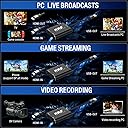
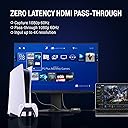
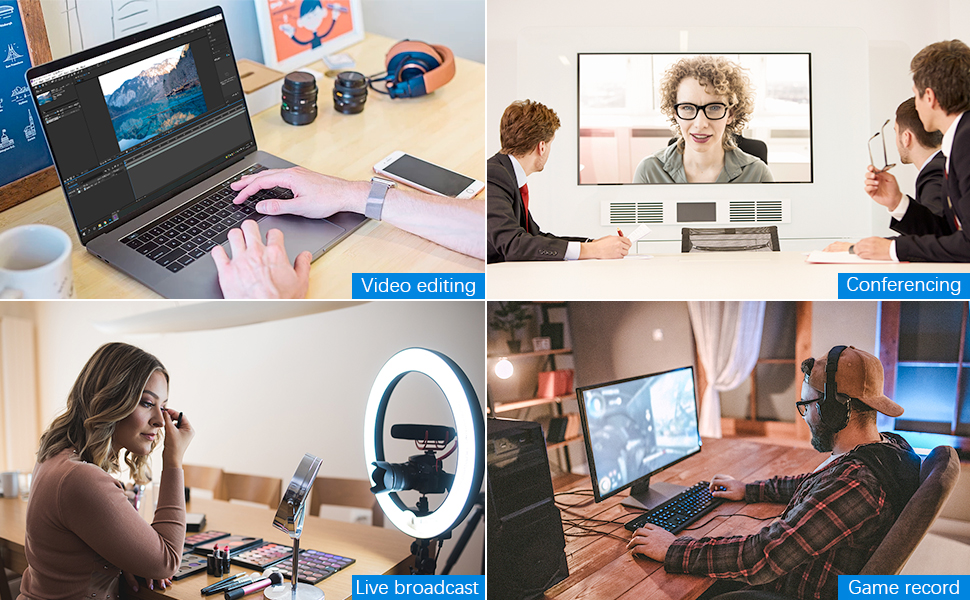
The KKF 4K HDMI Capture Card delivers professional-grade 1080p60 video capture with ultra-low latency HDMI pass-through. Compatible with major consoles including PS5, Xbox Series X/S, and Nintendo Switch, it features a high-speed USB 3.0 interface for lag-free streaming and recording. Compact and cross-platform compatible, itโs backed by a 12-month warranty and responsive 24/7 support, making it the ultimate tool for gamers and content creators aiming to elevate their live streams and recordings.


| ASIN | B07FXHN43Y |
| Antenna Location | Video Recording |
| Best Sellers Rank | #343 in Internal TV Tuner & Video Capture Cards |
| Brand | Kkf |
| Built-In Media | Capture Card |
| Compatible Devices | Laptop |
| Customer Reviews | 4.0 out of 5 stars 1,249 Reviews |
| Hardware Interface | USB 3.0 Type A |
| Item Dimensions | 0.39 x 0.39 x 0.39 inches |
| Item Weight | 2.47 Ounces |
| Manufacturer | Kkf |
| Mfr Part Number | IF-CH-US-01 |
| Minimum System Requirements | Compatible operating systems: Windows 7/8/8.1/10/2008/2008 R2/2012 (x86 & x64), Linux (based on V4L2 , supports x86, x64 & arm architecture), OS X (10.8 and above) |
| Model Number | Plus HD Capture Card |
| Operating System | Linux (based on V4L2 , supports x86, x64 & arm architecture), OS X (10.8 and above), Windows 7/8/8.1/10/2008/2008 R2/2012 (x86 & x64) Operating System Linux (based on V4L2 , supports x86, x64 & arm architecture), OS X (10.8 and above), Windows 7/8/8.1/10/2008/2008 R2/2012 (x86 & x64) See more |
| Other Special Features of the Product | 1080p 60FPS video capture, lag-free pass-through, high-speed transmission via Type C interface |
| Platform | Android, Mac OS X, Windows |
| Recommended Uses For Product | Video Recording |
| Special Feature | 1080p 60FPS video capture, lag-free pass-through, high-speed transmission via Type C interface |
| UPC | 650434130493 |
| Video Capture Resolution | 1080p |
P**Y
Excellent device for price
I don't write a lot of Amazon reviews, but felt compelled to review this capture box because so many of the negative comments include misinformation. I don't do any live streaming, so I can't comment on that functionality, but if you're looking for an extremely reliable device that can record 1080p video in outstanding quality, look no further. Here are a few important pieces of info if you're looking to capture 1080p video: 1) It requires a powerful CPU if you don't have a graphics card capable of utilizing the Nvidia NVENC hardware codec. This device off-loads the capture processing to your video card instead of your cpu (the standard x264 codec is software-driven). The difference on my antiquated AMD FX processor was 80+% CPU usage with x264, under 15% with NVENC. 2) Audio is tricky to configure as you need to ensure that the output device, sound card and all accompanying software, and the individual recording device installed in sound mixer ALL match. After 2 days of suffering with crackling, skipping sound, I found a message board post suggesting the issue was due to sample rate mismatch. Sure enough, once I matched ALL of the sample rates to the 48.0 KHZ of the output device, sound quality was excellent. If you aren't familiar with all of the sound settings in control panel, configuration might take some time-consuming poking around. 3) Claims that you can't achieve bitrates above 5 MB per second are totally erroneous. The NVENC codec allows you to set by CQP--a variable bitrate setting configured to achieve specific levels of quality. At CQP 20 and the BEST QUALITY setting, bitrates exceed 30 MB per second--in line with commercial blu-ray releases. 4) Needless to say, capturing at that level of quality will quickly fill a hard drive. At CQP 20 best quality, a 2-hour chunk of 1080p video will require approximately 12 gigabytes of disc space. 5) I capture to an SSD, but it seems likely that a traditional hard drive would be insufficient for keeping up that type of pace. SSD is probably a must. 6) You can capture using the Windows 10 CAMERA app, but you can get MUCH better quality and infinitely more configuration options by downloading the free OBS (Open Broadcaster Software). The initial learning curve is substantial, but once you figure out where the critical settings lie, you can get outstanding results. Plenty of help is available online. If you're not an expert PC user, configuration challenges could prevent you from seeing the best of this device. But if you're technically capable and patient, you'll likely be enjoying outstanding performance after a few hours of tinkering. Highly recommended.
A**R
Perfect video capture device
I used this one for my ambient lights project and it worked perfectly. Very satisfied with quality and low latency. Minor issues to note 1. If you're not capturing, you still need to power it through USB. I had an HDMI splitter before, it could power itself from HDMI directly, which was nice because you were not required to power computer if you're not capturing. 2. I have an HDMI switch in front of this device and if I'm not capturing and switch inputs, colors are messed up (I think it's some kind of RGB vs BGR difference). If capturing (as it normally does) it does not have this problem. Overall, easy to use high performance (I observed 100+ FPS on my Raspberry Pi) capturing device. Before I used a combination of HDMI splitter + HDMI-to-AV + USB-AV-capture device and although the whole setup costed less. it was a nightmare: lots of space taken, lots of wires, lots of power supplies needed, bad picture quality, high latency.
A**L
Priced with the Pros, Performs with the Amateurs
This would be a solid 3 stars if it were priced according to its quality. The problem is that it's priced up with the pros, but performs down with the amateurs. I recommend the Flint 4KP (4k passthru, not 4k record) instead. It's 10x as good but only 1.25x the price. I tried this with OBS and Zoom. I love how easy it is to use, but it's very finicky and if you're expecting HDMI quality... you just don't get that here. It's pre-compressed and grainy. Pros: - Fairly easy to use (plug it in fresh each time you want to use it) - Works (except that you must re-plug it every time) - "Debug mode" enabled (meaning it is compatible with all devices, regardless of the hdmi protocol) Cons: - Too expensive to be so cheap - Image is fairly grainy - Image is darker - Image is very, very RED - has to be unplugged and replugged with each use If you want much better for not much more, the Flint 4KP, which is also compatible with all devices, is the way to go. If the quality of this suits your needs, but you want the best price, there's one that has a blue, metal-looking box-style enclosure, which can easily be found on other sites, but not on Amazon.
T**I
Very good and very cheap compared to others
This thing captures like a CHAMP. There is no software which is pretty weird to me but there is none needed. Default audios bitrate is pretty slow but the recommended bitrate in the item description work perfectly. This is plug and play pretty much. As long as you have OBS ready, you can start your stream or recording as soon as you get everything hooked up. Works perfectly with my portable monitor, I did not need to purchase anything extra for it to work. I use it to record my switch and it works flawlessly. No frame drops from the capture cards side. I'm sure it would work just as good for xbox and playstation.
L**L
[UPDATE] Great for its price! A little finicky on HDMI connection.
[UPDATE]: I had to return this capture card because it does not capture game chat audio when connected to the Xbox One. Additionally, there's no audio port to capture it like the Elgato has. There seems to be no workaround this. So if you're streaming, it'll only pick up game sounds and not the chat audio from people in your party. [update end] I use this capture card to stream off my Xbox through OBS Stream Labs on my laptop. It works as it's described and overall it's a great deal for its cost compared to other capture cards out there. So far, I've experienced no lag with the sync and the video quality is great. There was no need for the installation of any device or driver. OBS Stream Labs recognized it as a device as soon as I plugged it in. Yay! However, I have 2 issues with the device. The first issue is that the very firm USB cable of my device is permanently twisted and crooked so the device doesn't sit flat on my desk and it leans to the left (view attached image). It's not a huge deal but it irks my need to have everything neat and organized a certain way. The second issue may not be solely from the device but it's worth mentioning. Sometimes the picture has static in the darker portions of my screen or I'll lose connection to my HDMI and it'll come back on after a second. This MIGHT be from the HDMI Out port of my Xbox One and not the capture device itself. The picture is clean most of the time but if I nudge the cable even a little, it either causes different degrees of static or I'll lose HDMI connection altogether and it turns on and off every few seconds. This never happened when my HDMI was plugged in directly from the Xbox to the TV so my suspicions are that if the HDMI connections aren't perfect, your picture might have some issues when using the device. Overall, it's totally worth it's price and gets the job done.
B**C
It does what it promises
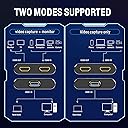
Edit: I have been previously using this for screen capture, and quality was not a big issue. Now that I started to using it to capture image from my DSLR, it is now obvious that picture quality is mediocre. Hence the update. Do not buy this if image quality is important. This is a very good deal for its price; it works great. The product has HDMI split option, thus I was able to capture screen of another computer while at the same time projecting it through a projector. Very easy to use; no need to install any driver. I tried it both with Windows and Linux, without any issue. Only reason I'm giving 4 stars is that the picture quality is not excellent. It is definitely good and acceptable, but not excellent.
D**N
Worked perfectly out of the box!
This worked perfectly out of the box! Great video quality. Did exactly what I needed. I wish everything was this easy.
B**S
For the love of all that is holy, buy this instead of an Elgato
THINGS THAT IT DOES BETTER THAN AN ELGATO: -No drivers required whatsoever, which means it will work on any operating system. (Linux users rejoice!) -Very minimal input lag when viewing from OBS preview window. -Accepts lower/weirder resolutions without complaint -Output framerate never drops/stutters -Doesn't require you to restart OBS like, 8 times in order to detect the signal properly MINOR COMPLAINTS: -You have to manually set the audio sample rate to 48000hz in system settings -Picture quality is ever so slightly fuzzier It's a damn near perfect capture card, and half the price of offerings from "reputable" brands such as Elgato or AverMedia.
Trustpilot
1 month ago
5 days ago