📱 Elevate Your Workspace with Touchscreen Magic!
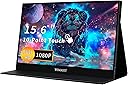
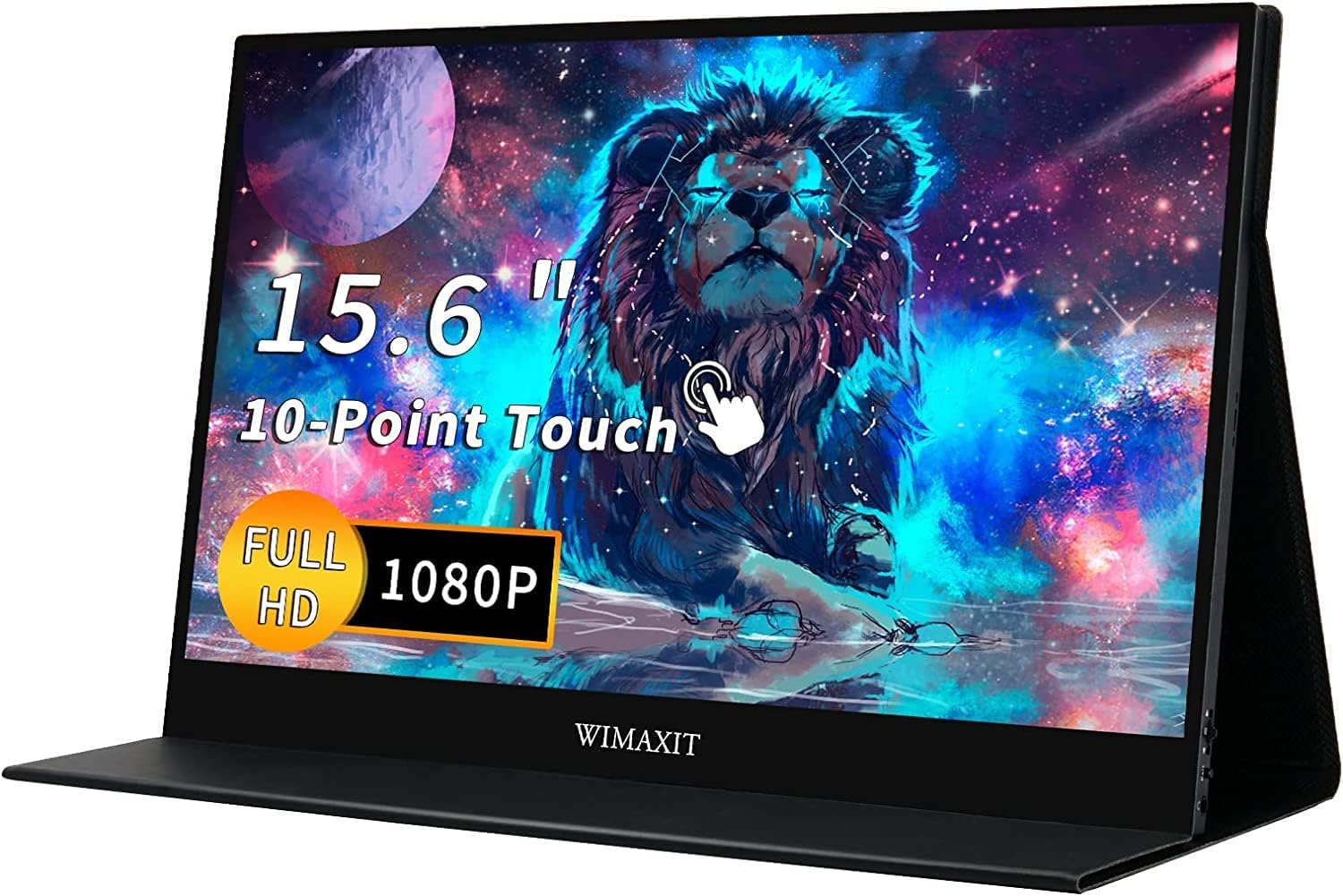
The WIMAXIT 15.6-inch Portable Touch Screen Monitor is a versatile and compact display solution designed for professionals on the go. With a stunning 1920x1080 resolution, seamless USB-C connectivity, and built-in speakers, it enhances productivity and entertainment without the clutter of multiple cables.


| ASIN | B07J53B7NS |
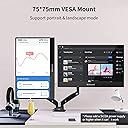
| Additional Features | Portable with vesa |
| Aspect Ratio | 16:9 |
| Brand | WIMAXIT |
| Brightness | 250 lm |
| Color | Black |
| Connectivity Technology | HDMI, USB |
| Contrast Ratio | 800:1 |
| Customer Reviews | 4.2 4.2 out of 5 stars (101) |
| Display Resolution Maximum | 1920 x 1080 |
| Display Technology | LCD |
| Display Type | LED |
| Hardware Connectivity | HDMI, USB, USB 3.0, USB Type C |
| Has Color Screen | Yes |
| Item Dimensions D x W x H | 0.35"D x 8.82"W x 0.35"H |
| Item Weight | 4 Pounds |
| Manufacturer | WIMAXIT |
| Model Name | M1560CTV2 |
| Model Number | M1560CTV2 |
| Mounting Type | Desk Mount |
| Native Resolution | 1920x1080 |
| Refresh Rate | 60 Hz |
| Resolution | FHD 1080p |
| Response Time | 15 Milliseconds |
| Screen Finish | Matte |
| Screen Size | 15.6 Inches |
| Shape | Rectangular prism |
| Specific Uses For Product | Office,Gaming |
| Total Number of HDMI Ports | 1 |
| UPC | 756244140216 |
| Viewing Angle | 85 Degrees |
J**P
It is a quality portable monitor but pricy
Just received it an hour ago. The packing box is very light, I was afraid that it contains a wrong item but upon opening it, it is the right monitor I ordered. Surprise! The picture quality is great, I like the matte finish. There is no dead pixel or scratches. Connected it to my XPS 15 2 in 1 and it works right away with one single Type C cable. The accessories are very luxury. Quality cables are included. The screen is not very bright. In my office, when my laptop is at dial one the screen has to crank all the way up to 9 and still a bit dark. The touch was not functioning correctly in the beginning. When I touch the portable monitor, it scrolls my main screen. I have to open a command prompt, enter "control /name Microsoft.TabletPCSettings", and follow the instruction to configure it correctly. The bezel is very narrow, like 3mm thing, thinner than my XPS!! The only drawback is cost, with the money I paid for it, I can purchase a 4K desktop monitor already. However, I cannot bring my desktop monitor with me when I am out. If only if they can lower the price a bit.
J**I
Great image quality and clean professional design
I've never heard of this brand before, still can't find much on WIMAXIT in Google outside of Amazon or Ebay. However, I've been really impressed with it so far. I got it in replacement of a HP U160 that I've had for for nearly 6 years. It held up to my numerous travels and the screen was finally starting to show lines in the image. The vinyl was also worn but I wasn't overly concerned with it until the lines appeared. The overall design of the WIMAXIT is nicer than the U160 it's replacing. Monitor to monitor, it's just over .25" thinner. With the cover, it's just slightly less than .25" thinner. The width is an inch less and about a half inch less in length, so overall, when the WIMAXIT is layed on top, it is obviously smaller. The cover is of a fabric like texture that looks as though it will last and wraps around similar to a resume portfolio. That same cover doubles as the stand like the U160 which is what I was looking for. Video quality is nice as well, although I would like to be able to brighten the screen more since I look at it at an angle, it's decent to work with. Having the USB-C as the video and power is ideal and works well with my HP Spectre. Overall I'm stoked and with design and quality for a brand that I'm unfamiliar with, so I'm happy for the only 2 reviews that were here that helped me decide on it.
R**S
Outrageously good value, a great multi-tasker and an excellent display
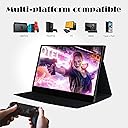
I bought this display mainly to use out on my deck with my work laptop and happy to say after tweaking the display settings to max out brightness, contrast and beef up the color temp to 9300k it's plenty bright enough for me to work as long as it's not in direct sunlight. Only downside so far is that I have to connect to my laptop with both USB and HDMI in order for it work instead of just USB. I can easily live with that because of everything else this display can do. I'm able to use it with my gaming PC, work laptop, PS4 and Nintendo Switch (I recommend using the Nintendo Power Brick instead of the included one for power). The display comes with all the cables you'll need, a USB power adapter, a screen protector, and microfiber cloth which demonstrates a keen respect for customer needs. The cover isn't bad either and keeps the display protected when not in use. It's also super portable, easily fitting in my backpack. Worth every penny!
H**I
Did not work on Pixel phones, Android 9
The 15.6" panel worked great on WIndows 10 build 1803, tested on a Dell XPS 13 9350 and on a Thinkpad X1C6. The panel did not work at all on my Pixel phones (Pixel 3 XL, Pixel XL, Pixel), all on Android 9, using USB-C external power through the panel ("pass through") or powered only by the phone. Panel also did not work on Chromebooks... but then the seller makes no claim that it will work on Chromebooks (but should add, "Does not work on .... Chromebooks." ). Original review was one star since the listing states the panel will work on Android phones with USB-C, which describes the Pixel phones, but does not. Returned the item. EDIT: Added a star since the seller contacted me (after I emailed TS) to say that phones had to have USB-C 3.1 to work with the panel. The Pixel 3 XL and the Pixel 3 I tested do have USB-C 3.1, so that is not the reason the panel was inop. It is rare that a Chinese vendor does any tech support in response to an email... so I added a star for making the effort, even if the theory advanced was untested by the seller ("couldn't find specifications for the Pixel 3 phones"), and wrong. Second Edit. Added another star because the seller actually updated the listing to reflect USB-C 3.1 Gen 2 is required. Impressed!
J**C
Great product
I was a little hesitant about buying this product because it wasn't a brand that I knew but it has been great. My wife needed a portable monitor for programming on the go with her surface book 2. I chose this product because a single c-cable is enough to power the monitor and establish the connection with the laptop. An extra HDMI is not needed for this laptop connection. The product does come with an HDMI port. I have used it to play on my ps4. Because the product can be powered by a c-cable I connected a c-cable to the ps4's USB port so I was able to power the monitor and connect establish a video connection through the HDMI. This means the plug for the ps4 is enough to power everything and the monitor does not need an extra power source. The monitor in my opinion is light weight. I like the case that it comes with. The 1080p display is great. I will be buying more of this product in the future
A**R
A good price for a reliable usb-powered portable 15-inch monitor with a touchscreen. I'm satisfied.
J**I
Funciona bien para el propósito de un segundo monitor y que sea portátil. Estoy contento con el.
K**E
Absolutely perfect. No complaints.
J**A
Update: The HDR colors were too vibrant in some scenarios, so I returned it back to auto and adjusted some other settings for a compromise: Temperature: 6500, Game Mode: Performance Mode, Brightness: 90. YMMV I tried an Asus portable monitor first, and it was an average experience, but I exchanged for this one because of touch screen. This monitor is very well made, better than the Asus is every way (and I'm normally an Asus fan). The reason I wanted to write a review though is because at first, the picture on this Wimaxit monitor was dull, washed out, and not bright enough. I fiddled with max brightness and every picture setting/preset I could, and nothing would make it that much better. In the end, all I had to do was to go into the Advanced settings and toggle the "Ultra HDR Mode" from "Auto" to "On", and BAM, instantly fixed. Honestly, night and day difference. Toggle it back and forth and see the difference. Amazing experience once you toggle this setting. Because this isn't default, my brightness rating is 3/5. After the toggle it's 5/5.
G**S
Work well, so far
Trustpilot
2 weeks ago
2 days ago