Buy anything from 5,000+ international stores. One checkout price. No surprise fees. Join 2M+ shoppers on Desertcart.
Desertcart purchases this item on your behalf and handles shipping, customs, and support to Vanuatu.
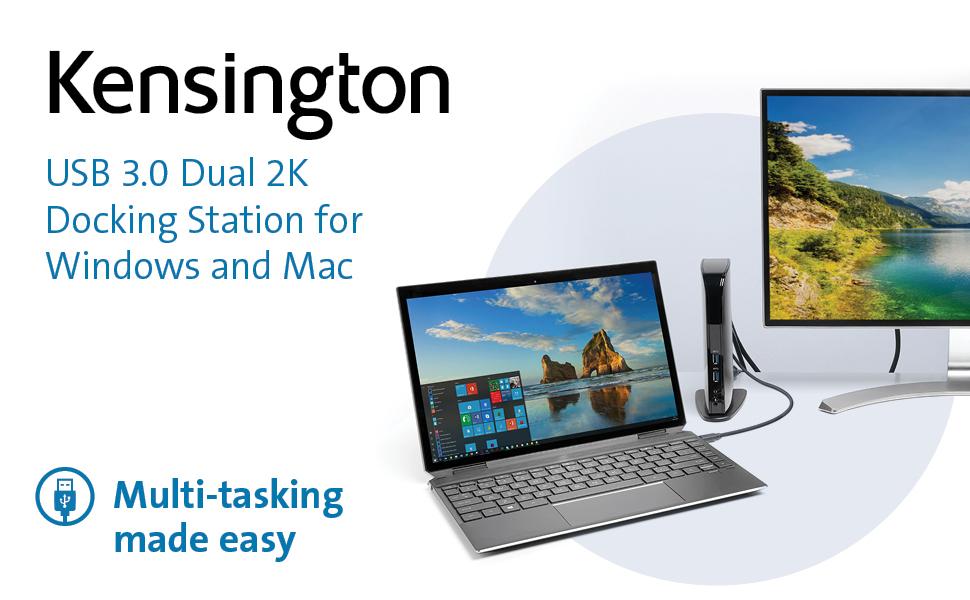
🚀 Elevate your workspace: One dock to rule all your devices!
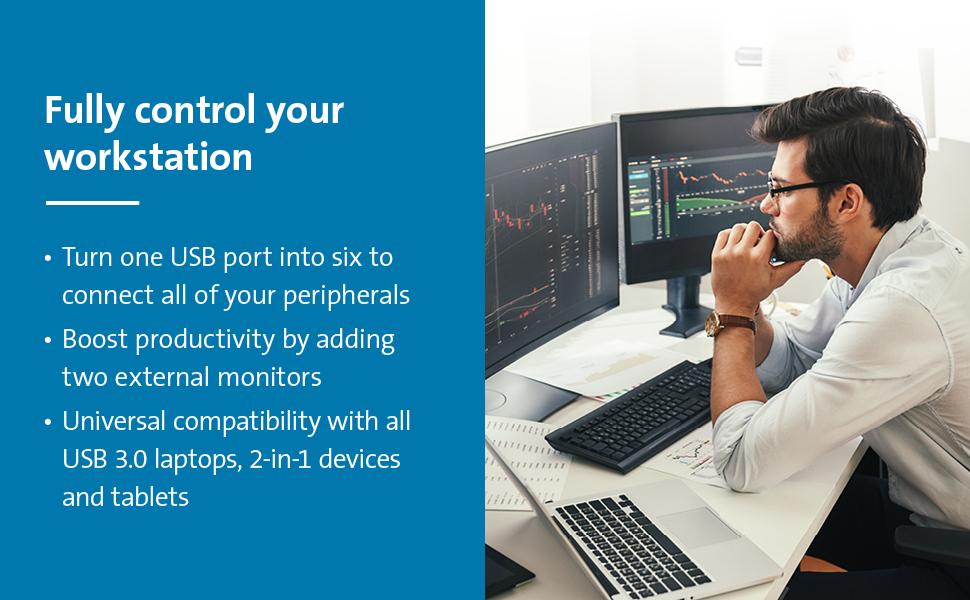
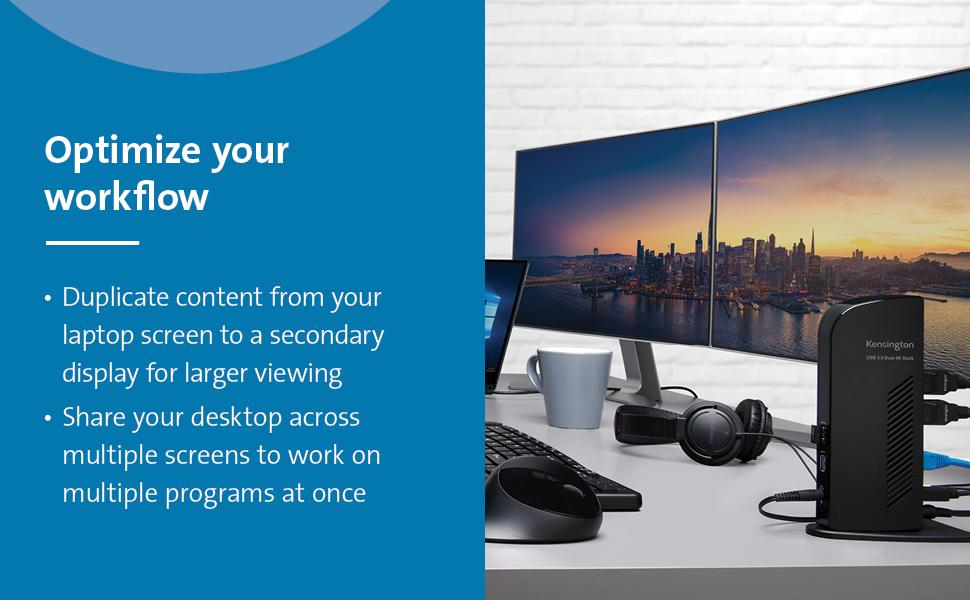
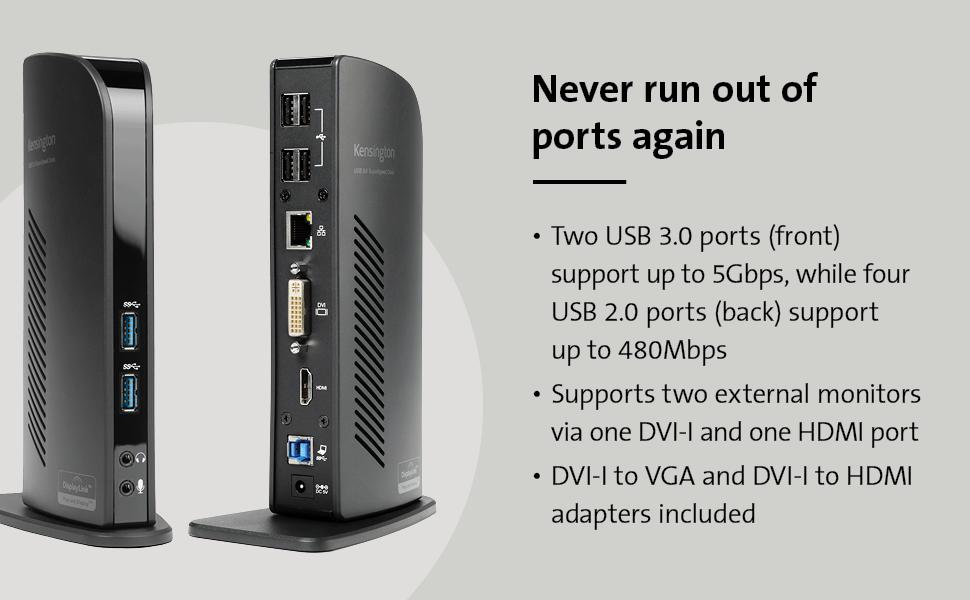
The Kensington USB 3.0 Dual Display Docking Station (K33972US) is a versatile hub designed for MacBooks, Surface, and Windows laptops with USB-A ports. It offers 10 total ports including dual 1080p display support, SuperSpeed USB 3.0 data transfer up to 5Gbps, and gigabit ethernet. With included adapters and power supply, it simplifies connectivity and boosts productivity for professionals seeking a sleek, all-in-one docking solution.


| ASIN | B009F7E730 |
| Best Sellers Rank | 65,246 in Computers & Accessories ( See Top 100 in Computers & Accessories ) 542 in Docking Stations |
| Box Contents | Docking station, power cord, two display adapters |
| Brand Name | Kensington |
| Colour | Black |
| Compatible Devices | MacBooks, Surface Book 1/2/3, Surface Laptop 1/2/3, Surface Pro 4/5/6/7/8, Windows laptops |
| Customer Reviews | 4.4 4.4 out of 5 stars (1,261) |
| Global Trade Identification Number | 00085896339724 |
| Hardware Interface | USB |
| Item Dimensions L x W x H | 16.5L x 7.6W x 24.1H centimetres |
| Item Type Name | Kensington USB 3.0 Dual Display Docking Station for Windows, Mac OS, Surface Pro & Surface Laptop (K33972US) |
| Item Weight | 0.8 Pounds |
| Manufacturer | Kensington |
| Number of Ports | 10 |
| Total HDMI Port | 3 |
| Total USB Ports | 6 |
| UPC | 085896339724 |
| Unit Count | 1.0 count |
| Wattage | 1 |
M**L
Works well
Works well just what i need
D**D
Works perfectly
Works as expected, great fir ease of use when working from home or office as I have one in each location
T**E
Worked exactly as it should out the box
Works perfectly with surface pro, chromebook and Toshiba laptop.
N**O
Good product
Good product - no doubt. It only lacks possibility to charge laptop.
P**?
Not fit for purpose
Product is missing the UK plug adaptor, cannot be used?
S**?
False advertisement
Picture show it comes with a UK adapter plug but only come with EU
C**1
I originally purchased a USB-C dock, thinking I could attach it to my new HP Windows 11 laptop USB-C port. I have two external monitors, one HDMI and the other Display Port (or VGA), as well as 4 or 5 USB devices. Well, I connected everything to that USB-C doc, and the USB devices worked - but not the monitors. After some research, I discovered my HP 15-ef2033dx laptop (purchased at a great Black Friday price), does not support external monitors through the USB-C. Duh - I should have paid more attention. So, I found this Kensington Dock on Amazon, read the description carefully and watched the videos produced by Kensington. Convinced myself that this bad boy is for me. Got it yesterday, hooked everything up, and voila - my old external monitors work like a champ. And, because the Kensington dock has its own power supply, I can leave my laptop lid closed - I have no need for 3 displays - and the 2 external monitors work great in this mode. When I'm done working, I just turn off the monitors, leave the laptop in sleep mode, and then wake it up by simply activating with the mouse or keyboard. The provided DVI to VGA adapter works perfectly, with a VGA connection to my old Dell monitor (at least 8 years old). And - the dock also has an audio output port, so I can connect my external speakers also completely to the Dock - the audio jack as well as USB for the power. (The dock also has an audio input port if you want to connect a microphone.) I could not be happier. If you have a laptop with a USB-C which doesn't support external monitors, or a laptop with USB3.0 type A only, this is for you.
R**Y
I use it since 2 week in my home office with 2 24 in hdmi screen and it’s work perfectly the front usb port are good . Come with dvi to hdmi adaptor and power supply . Easy to setup .
S**A
Principalmente lo compre para poner conectar varios monitores a mi laptop a la vez, funciona de maravilla, el input lag es muy poco siempre y cuando se use atravez de usb 3.0, en realidad le saque muy buen provecho, gracias a sus multiples puertos usb, es plug & play, llevo con el varios meses y no me ha fallado, lo utilizo en windows y mac y funciona perfectamente con ambos. Lo unico que no he probado es el cable de red, ya que tengo otro adaptador para la red que estoy utilizando.
A**R
Reason for purchase: I have an HP Envy laptop that only has one video out (HDMI) but I have two monitors and I was in the process of replacing my desktop computer with the ENVY and I wanted the laptop to be able to make use of both of my monitors. First impression: I was super hesitant about purchasing the product because I had tried an IOGear (or something like that) USB display module before that, too, used DisplayLink. I had soooo many problems with it...well actually just like one or two but they were happening frequently and in my mind I came to associate the problems with DisplayLink, not the module. So when I saw that this docking station used DisplayLink as well I was nervous but the reviews were so positive that I figured the previous problems might have been with the module itself. My first impression: nice looking piece, looks kinda like a router, solid packaging though it was difficult to remove initially. Setup: I literally just plugged my monitors into the back of the docking station as well as two ext. hdds and the speakers. I then plugged the docking station into a surge protector and connected it to my laptop via the provided usb. For those of you who are confused as I was at first, all of the video goes through the usb cable, so you can have two external displays without plugging anything into your laptop's video output. My laptop recognized the docking station and a window popped up where I could install the drivers that I wanted (one for audio, one for video, etc). The set-up was seamless and it blew me away. As soon as the drivers were installed the monitors came to life, I don't even think it required a restart (though it may have but I don't think it did). Overall Experience: It's been pretty awesome, I've noticed little to no lag at all when dragging stuff between monitors, no delay or sync issues with audio, the hdds are fast as ever, I'm blown away really. I've only really noticed two semi-issues--playing two separate videos on the two monitors creates problems, even when they're not playing in full screen. Also (and this may not be the module, I'm not sure) but when I first hooked everything up, I decided to leave my wireless mouse and keyboard connected directly to the laptop but after a while I noticed a TON of lag with the mouse...the keyboard was fine. I changed the batteries and still, TONS of lag...to the point where it was unusuable. But when I moved the receivers to the docking station, the problem was gone. Not sure what happened there, I had never had an issue with the mouse before so I'm not sure if that has anything to do with the docking station or not. OVERALL: awesome purchase that I highly, highly, highly recommend.
I**A
Amplia compatibilidad, funcional, buena calidad, fácil de usar e instalar.
Trustpilot
1 week ago
2 months ago