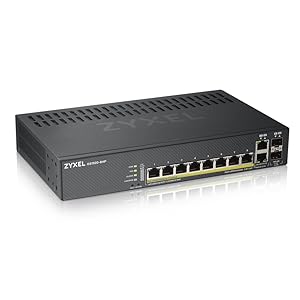
![Zyxel 8-Port Gigabit Ethernet Smart-Managed PoE+ Switch | 130 Watt Budget | 2x Gigabit Combo Ports | Hybrid Cloud Mode [GS1920-8HPv2]](https://m.media-amazon.com/images/I/51eIXTvWpuL._AC_SL3840_.jpg)



Buy anything from 5,000+ international stores. One checkout price. No surprise fees. Join 2M+ shoppers on Desertcart.
Desertcart purchases this item on your behalf and handles shipping, customs, and support to Vanuatu.
⚡ Power your smart workspace with Zyxel’s silent, cloud-ready switch!
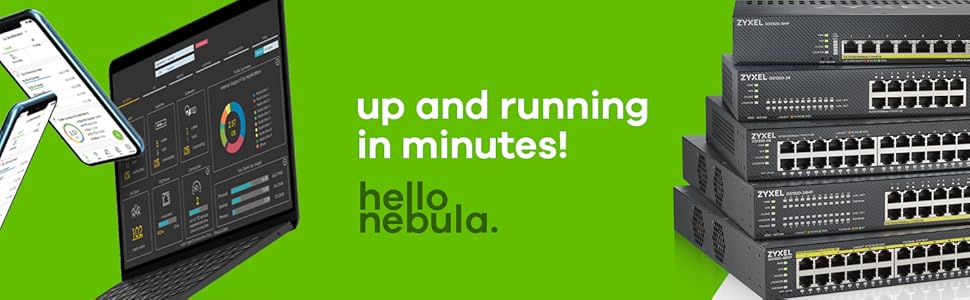
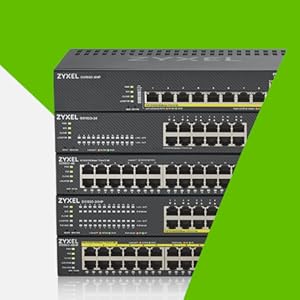
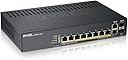
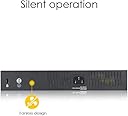
The Zyxel GS1920-8HPv2 is an 8-port Gigabit Ethernet smart-managed PoE+ switch featuring a 130W power budget and 2 combo ports. It supports flexible hybrid cloud management via NebulaFlex technology, allowing seamless switching between standalone and cloud modes. Its fanless design ensures quiet operation, making it ideal for small offices or home security systems. With advanced network prioritization and a robust metal case, it offers professional-grade performance and scalability backed by a limited lifetime warranty.


| ASIN | B07HF7DK2J |
| Best Sellers Rank | 7,196 in Computers & Accessories ( See Top 100 in Computers & Accessories ) 48 in Network Switches |
| Box Contents | Desk Mounting Kit, Network Switch, Power Cord, Wall Mounting Kit |
| Brand Name | Zyxel |
| Case Material Type | Metal |
| Color | Black |
| Compatible Devices | Camera |
| Country of Origin | China |
| Customer Reviews | 4.8 4.8 out of 5 stars (16) |
| Data Transfer Rate | 1 Gigabits Per Second |
| Interface | RJ45 |
| Manufacturer | Zyxel |
| Manufacturer Part Number | GS1920-8HPV2-GB0101F |
| Model Number | GS1920-8HPV2-GB0101F |
| Number of Ports | 8 |
| Platform | Zeta |
| Product Warranty | Limited Lifetime |
| Switch Type | Smart Switch |
B**N
Great POE L2 Managed switch for the money
Great work well
B**E
Capable and highly configurable quiet switch
I had been put off by ZxXEL in the past due to failing with completely and eventually returning a combined modem/router product. Perhaps that was a dud because this worked out of the box with minimal setup. You have here the choice of treating it as a classic unmanaged switch delivering quiet, simple function to your network. But if that’s all you want there are good options at a third of this price. What you get here is the option to configure prioritisation and both view and access your switch via a professional grade cloud interface. A switch like this could form an excellent backbone for a home security video system (what I am using it for) or for setting up a small business environment. It is capable beyond my personal needs but isn’t wildly more expensive than the basic models. ZxZEL don’t seem to have got much further along with their capabilities to provide intuitive printed material but there are better manuals available online as well as third party content on some forums. Solid
B**B
decent switch with some premium features allowing you more control over your network
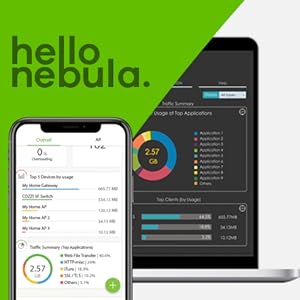
I wanted to have more control over the traffic on my home network, so I decided to get this. The switch comes with a mounting kit if you have a rack or. If you want just to place it on a desk it has rubber feet. 8x RJ 45 ports are providing 130w Power over Ethernet for my security cameras. There are also ports 9-10 which can either be used with RJ 45 or SFP’s. These provide you 2x additional ports used for say a backbone as they are given a high priority for traffic. This version has no fans, so it's perfectly silent and get for at home where you want to keep noise to a min. Setup was easy, and you have two options. 1. Old school web browser and local admin access/control or 2. You can use the free cloud features and control all of your switches from one place. Both are good and it comes down to how you want to control it. You can VLAN tag to ensure your traffic is segregated and performance is great, and overall, I’ve seen some nice speed boosts. Overall a decent switch with some premium features allowing you more control over your network.
J**E
Good managed layer 2 switch. Don't use the cloud functionality.
Zyxel has jumped aboard the highly-dubious “let’s cloud everything and to heck with the consequences” bandwagon with this one. Fortunately, the cloud functionality can be roundly ignored in favour of much more sensible local management. Be aware that the switch will attempt to phone home every three minutes from the moment it’s switched on. Initial configuration is very straightforward: all ports are on VLAN 1 by default, the management interface obtains its IP address by DHCP, and reverts to 192.168.1.1/24 if it can’t. The switch allows management connections initially over both secure and insecure protocols for convenience; the insecure protocols can then be disabled to restrict connectivity to secure protocols only. One word of caution: if the management interface VLAN is changed to one which is not represented on any of the ports, it’s possible to lock oneself out of the switch, requiring a paperclip reset. And to make things worse, one isn't supplied. Also, sadly, this switch does not have a serial console port to help the bone-headed administrator, but is also a fraction of the price of its competitors which do. So, in short, be careful when configuring, and take backups every step of the way. The switch has a wealth of enterprise management features, including SNMP (2c and 3), NAC, port security, AAA with RADIUS and TACACS+, spanning tree, port mirroring, scheduling, and much, much more. The switch is fanless and passively-cooled, so the switch can be comfortably used in a home office/study without subjecting the user to a piercing whine from a miniature cooling fan. The switch supports both 802.3af and 802.3at and has a total PoE capacity of 130W. This is sufficient to populate the switch entirely with 802.3af devices (maximum 15W per device). However, if the user introduces 802.3at devices (maximum 30W per device) then some careful power management may be required. The dizzying range of features may be initially daunting for the novice, but the manufacturer has plenty of documentation available online, complete with tutorials, and the switch itself has built-in context-sensitive help to guide the user. This is a decent enterprise-grade managed switch suitable for a home lab or for someone learning network management. It could really benefit from a serial console port, though.
M**X
Very good value for what you get
This was very easy to set up and integrate within my home nework. It is a little over-engineered for what I need - to be honest I'm not quite sure that you would need all the features on offer in a home environment. That being said, it is very competitively priced, so even if you don't use its full features (such as the cloud) it is still a good option. It's really important to me that it is fanless - it sits in our living room so near-silent operation is vital. I found the interface not quite intuitive, but not hard to get my head around. Recommended.
.**.
Very good quiet switch
The first thing to say about this is that its fanless design makes for very quiet operation, something that was important to me as it is used in an environment where noise would be a big problem. It works very well out of the box, with zero input. Just plug everything in, and it works. However, if you need to, you can control every aspect of its behaviour via the web-based interface. It works well for technophobes, but has all of the configuration options that a pro would require. Highly recommended.
J**Y
Excellent, very well made
I've had Zyxel products in the past which were always good value. This is pretty beefy and well made. It powers my IP cameras fine which hook up to BlueIris on my PC. It has a handy indicator to show ho wmuch POE is being used which my previous switch from Netgear didn't.
Trustpilot
2 months ago
2 weeks ago