🖊️ Elevate your Surface experience—write, draw, create without limits!
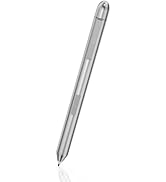
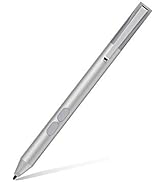
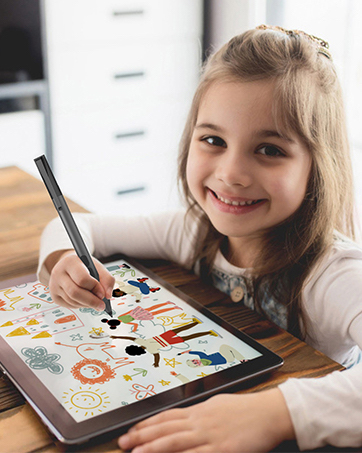
The tesha Surface Pen is a Microsoft MPP-certified stylus compatible with a broad range of Surface devices and select PCs. Featuring 1024 levels of pressure sensitivity and a precise 2mm tip, it delivers smooth, lag-free writing and drawing. Its palm rejection technology ensures natural hand placement without unwanted marks. Powered by a AAAA battery, it offers up to 2500 hours of use without recharging. Equipped with eraser and right-click buttons, it enhances productivity with intuitive controls. Ready to use out of the box with no Bluetooth or app pairing required.


| Item Dimensions | 4.9 x 0.3 x 0.3 inches |
| Item Weight | 0.02 Pounds |
| Compatible Devices | Surface Pro 11, Surface Pro 10, Surface Pro 9, Surface Pro 8, Surface Pro X, Surface Pro 7+, Surface Pro 7, Surface Pro 6, Surface Pro 5, Surface Pro 4, Surface Pro 3, Surface Duo/ Duo 2, Surface Go 1/2/3/4, Surface Book 1/2/3/4, Surface Studio 1st Gen, Surface Studio 2, Surface Studio 2+, Surface Laptop 1/2/3/4/5/6/7, Surface Laptop Studio. |
| Battery Type | Alkaline |
| Battery Average Life Standby | 2500 Hours |
| Number of Batteries | 1 AAAA batteries required. (included) |
| Material | Aluminum |
| Color | Platinum |
**3
Compatibilidad
Excelente producto funciona con surface pro 4 y Laptop Dell
M**S
Great Pen for my Surface 3!
I'm a freelance illustrator, I do Portraits and a Comic.Usually I use a drawing monitor connected to my PC or to my Surface 3, but when I'm away from home, I use my Surface 3 for drawing.I don't like the pressure sensitivity of the original Surface Pen, so, I wanted a Pen with more pressure sensitivity and I found this Tesha Pen.It came in a small nice box, with the battery and an extra nib.It has 1024 levels of pressure and so far it's been working really great! It's not bluetooth, so it doesn't have the button for the Windows Ink area. But it has the two usual buttons on a side, one for toggle between Pen/Eraser, and the other one as the Right Click. I like to keep two buttons like that.About the palm rejection, I think it's better than the original Surface Pen, although it's not perfect. I still get sometimes unwanted lines. But I always draw with a Anti fouling glove, so, I don't care much about the palm rejection. I was looking for more pressure levels and with this pen you got them.The tip feels good on my Surface, it's pretty much like from the original Surface Pen, don't worry for any scratches.I think it's a great companion for my Surface, and so far I'm only using this pen, I keep my original Surface Pen for a spare.
E**I
If you have a surface pro you need this
This pen pairs great with the surface pro, I originally thought it would pair using Bluetooth but it doesn't. It electromagnetic and uses the strength of the magnet to either right click, hover or left click. It doesn't work on cell phone, but work great with the pro. I am able to use more features on the surface and work faster. If you have the surface this would make a huge difference navigating and writing. Like any other pen it fit well in hands and buttons are well placed for easy use.
T**K
The right part at the right price
Works as stated
E**.
great size and response
slim profile and great weight the only thing I can say is that the batteries are so specific I had to orede a pair and a charger
Trustpilot
1 month ago
4 days ago