🌍 Stay connected everywhere — your personal Wi-Fi, redefined!
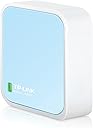
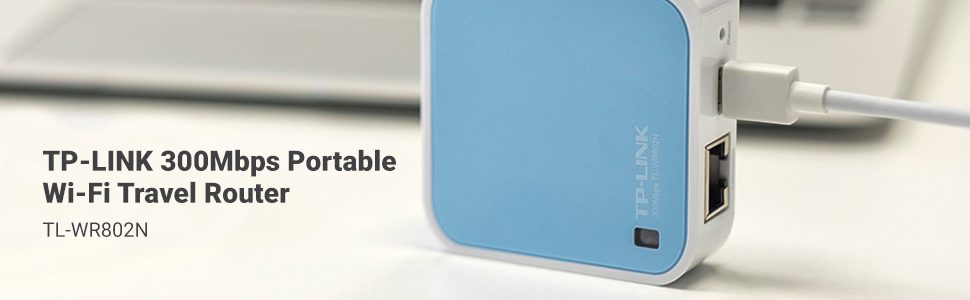
The TP-Link TL-WR802N is a compact, travel-friendly wireless N router delivering up to 300 Mbps on the 2.4 GHz band. It supports five operation modes including router, hotspot, repeater, client, and access point, making it perfect for travelers and professionals needing secure, lag-free internet on the go. Powered via micro USB, it offers quick setup with pre-encryption security and compatibility with devices like Chromecast, backed by a 2-year warranty and 24/7 support.
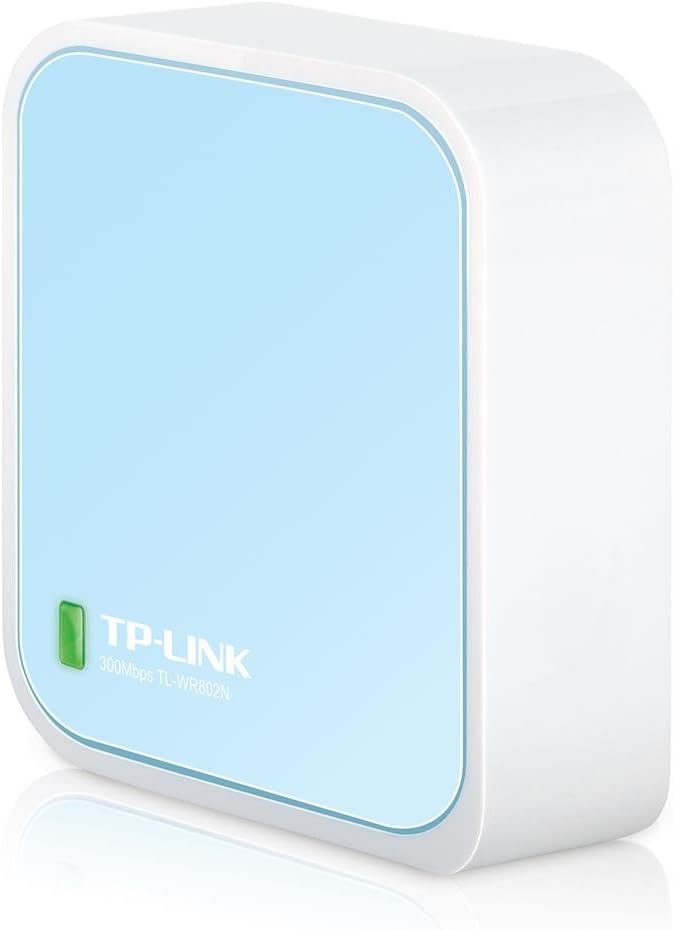


| ASIN | B00TQEX8BO |
| Batteries | 1 Lithium Ion batteries required. |
| Best Sellers Rank | #1,681 in Computers & Accessories ( See Top 100 in Computers & Accessories ) #75 in Computer Routers |
| Brand | TP-Link |
| Color | Basic |
| Computer Memory Type | DDR3 SDRAM |
| Customer Reviews | 4.0 4.0 out of 5 stars (10,327) |
| Date First Available | September 16, 2015 |
| Is Discontinued By Manufacturer | No |
| Item Dimensions LxWxH | 2.2 x 2.2 x 0.7 inches |
| Item Weight | 1.06 ounces |
| Item model number | TL-WR802N |
| Language | English, English, English |
| Manufacturer | TP-LINK USA |
| Number of Processors | 1 |
| Number of USB 2.0 Ports | 1 |
| Operating System | Microsoft Windows 98SE, NT, 2000, XP, Vista or Windows 8.1/8/7, MACOS, NetWare, UNIX or Linux |
| Product Dimensions | 2.2 x 2.2 x 0.7 inches |
| Series | TL-WR802N |
| Voltage | 100240 Volts |
| Wireless Type | 802.11n |
S**I
Got this for my Xbox One S. Didn't expect it to be this good!
I got the TP-Link N300 Travel Router (without the USB port) specifically for my Xbox One S. I didn't expect it to be this good! My university uses an indirect wi-fi login system (we connect to the open university network, which brings up an internet page asking us to login with our university ID and password to authenticate — similar in system to most hotels and airports), which the Xbox can't handle. So I decided to create a small internal network in my room that has its own SSID and password. I went with a mini router rather than just a range extender because this mini router has greater functionality for around the same price as most extenders. Size: As you can see in my pictures, the length/width is a little more than that of two quarters side-by-side, and the thickness of 3/4ths a quarter. I was surprised by how small it was when I opened it. Accessories: It comes with an ethernet cable, USB charger, wall adapter (though this is a bit clunky for modern standards), travel pouch, Wi-fi Info Card, and the standard instructions. Setup: Quick and easy, though you'll need to have a computer (I'm not sure if it works on a smartphone/tablet) to access the setup page. It took me about five minutes to set mine up in Access Point Mode. Basically, you plug in the router for your preferred mode as per the image/instructions. You then connect to your router from your computer using the password on the Wi-Fi Info Card and go to tplinkwifi(dot)net to do a quick setup. Here you can choose what mode you want to use the router in, change your SSID, password, etc. Then reboot to reconfigure the router. Modes: There are five modes -- two for travel and three for at home use. I went with the Access Point (AP) Mode for my uses, but I probably could have just gone ahead with the default Wireless Router mode. The ethernet port in my room was too far away from my Xbox to use Client mode. Regardless, it’s working great. I’ve attempted to give explanations for the different modes below, but I’m not particularly knowledgeable in this so please correct me if there are any inaccuracies. For Travel: 1. Wireless Router (default): Basically, it turns a wired internet connection wireless. 2. Hotspot Router: I would best describe this as taking an open (and unsecured) wi-fi connection and making it password protected (personal hotspot). The router takes the unsecured wi-fi connection and creates a secured wi-fi/wired connection, and you can have one device connected directly to the router and have the rest of your devices using your protected wi-fi at the same time. Useful for connecting to the internet in public places like cafes. I believe it's also great for hotel rooms where only one device can use the internet per room. Connect this and all your devices can use the internet. For Home: 3. Range Extender: Similar in nature to the Hotspot Router Mode -- it goes wi-fi to wi-fi, except this mode uses your home's network and maintains the same password as your home's AP. It's to extend your home's wi-fi to reach any wi-fi dead spots in your house (like the attic or basement, or that weird corner of the room where you like to huddle and binge watch Netflix but just happens to be the same place where wi-fi connectivity is super sketch and the video never loads). You can use the router for both wired and wi-fi connections simultaneously. 4. Client: Sort of the opposite of the Wireless Router mode -- this takes a wi-fi network and makes it wired so that devices that don't have wi-fi capabilities can connect to the internet. It's great for smart TVs, game consoles, printers. 5. Access Point: Same as the Wireless Router mode, takes a wired network and makes it wi-fi. Speed: There wasn’t really any compromises made with the download speed. My university has incredibly fast wi-fi (though my dorm isn’t as fast as our libraries), so I’m glad that wasn’t sacrificed. The upload speeds weren't as consistent, but still not bad. You can see the speed test results in my pictures. Overall, I'm really liking this mini router. The size is perfect for travel (it's smaller than my Macbook Pro's MagSafe adapter…!), and the setup was straightforward. Definitely a recommended buy.
S**N
Review for TR-WR802N - Excellent Router, Must have for Travelers and IT Field Professionals on the go
I do a lot of new data center setups where there's no internet connections and was looking for something that would be able to bridge my phone's hotspot to ethernet only servers so they can access the internet. This does that and alot more. I can also use this in hotels to connect devices such Chromecast, and anything without web browser. The most useful feature is the WISP mode which basically connects to a wifi network as a client such as hotel wifi, and then broadcasts and shares that wifi as a "second SSID" with with your own name and password that you can then connect multiple devices to. For the techies, the devices you connect using this mode are NAT-ed , so the hotel side wifi will only see one client , your wifi hotspots mac and address. Overall this is a great device. Only wish the throughput was a bit better which is not bad but off my phone hotspot direct i am getting about 20MBPS down, through the router in WISP mode its about 8-12, which is not bad for a portable low power device. Otherwise great product. Also looked at the hootoo but didn't really need the USB sharing or really care for its GUI interface. This is packed with features and great for both techie and no techie users, price is right and is feature packed. Here's a breakdown of the modes and what they are useful for. * WISP/Hotspot Mode - Good for Connecting Chromecast or any devices without a Web browser to a Captive portal wifi network. This basically connects to One SSID as a client for instance Hotel Wifi, then Broadcasts a second SSID ( one that has your own custom name and password ), and routes it so that many users can connect. As long as one device connected behind this captive portal interface authenticates, all devices will be able to access the internet. Pretty Neat! * Router Mode - Works as a standard Router which most are familiar with. You connect the wired section to your DSL/CABLE/Fiber modem and allows many users to connect. * Access Point - Works similar to the above but without Router functionality. This basically allows you to connect wireless devices to a wired network, this requires a router already existing somwhere on the wired network in order to access the internet. * Range Extender - Acts as a wireless repeater to extend signal strength, nothing else. * Client - Also known as Wireless bridge mode. You connect this router to another SSID or wifi network, and it allows you give wireless access to devices that DO not have wireless capability already, only ethernet. This feature does not use the built in router and relies on a wifi network that already has a router established.
Ö**N
harika ürün smart tv wi-fi çipi tarla olmuştu ama LAN çalışıyordu bana 4000 tl fiyat çıkardılar bu ürünle hallettim acayip ucuza
A**N
Been using it for a good few years as a repeater, it also has a lot more functions like bridge mode, and acting as a standalone router, really useful to have, it also has a compact size so i can bring it with me anytime
S**I
Consider Performance is more than PRICE..
Y**I
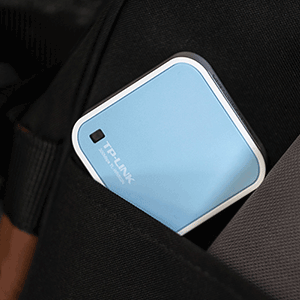
Ich habe mir den TP-Link TL-WR802N gekauft, um im Urlaub und im Hotelzimmer ein stabiles WLAN für Laptop und Smartphone zu haben – und ich bin wirklich begeistert, was dieses kleine Gerät leistet. Der Router ist kaum größer als eine Streichholzschachtel, wiegt fast nichts und lässt sich problemlos in der Tasche oder im Technik-Etui mitnehmen. Trotz der kompakten Größe bietet er alle wichtigen Funktionen: Router-, Repeater-, Client-, AP- und Hotspot-Modus – ein echtes Multitalent. Die Einrichtung ist schnell und einfach: Über die Weboberfläche oder App ist alles in wenigen Minuten konfiguriert. Ich nutze ihn meist im Repeater-Modus, um das schwache Hotel-WLAN zu verstärken – funktioniert absolut zuverlässig, die Verbindung bleibt stabil und deutlich schneller als ohne Verstärkung. Im Access-Point-Modus lässt sich auch ein kabelgebundener Internetanschluss in ein WLAN-Signal verwandeln, z. B. für Fernseher oder Konsolen – super praktisch. Trotz der kompakten Bauweise liefert der TL-WR802N eine stabile Reichweite und gute Geschwindigkeit (bis zu 300 Mbit/s). Für Streaming, Surfen und Videokonferenzen reicht das vollkommen aus. Die Signalqualität bleibt konstant, und auch mehrere Geräte gleichzeitig sind kein Problem. Die Verarbeitung ist hochwertig, das Gehäuse wirkt robust, und die mitgelieferten Kabel (USB-Stromversorgung und LAN) sind praktisch für unterwegs. Der Router lässt sich sogar direkt über eine Powerbank betreiben – perfekt, wenn keine Steckdose in der Nähe ist. Ich habe ihn inzwischen fest im Reisegepäck – einmal eingerichtet, funktioniert er immer zuverlässig. Ideal auch für Camper, Geschäftsreisende oder Ferienwohnungen, wo das WLAN oft schwach oder umständlich ist. Fazit: Der TP-Link TL-WR802N ist ein leistungsstarker Mini-Router, der mit seiner Vielseitigkeit, Stabilität und Mobilität überzeugt. Für Reisen, Hotelaufenthalte oder den Heimgebrauch als Zusatzgerät ist er einfach genial. Klein, aber richtig stark – absolute Empfehlung! ✅
C**N
Je recommande vivement ce petit boitier TP-Link. Je cherchais un point d'accès wifi pas trop cher et assez petit. Celui-ci est super petit (6cmx6cmx2cm), sans antennes extérieures. Sa mise en fonctionnement est simple. Je pensais qu'il s'agissait uniquement d'un point d'accès, mais il peut être configuré en répéteur, client wifi, routeur ... tout simplement génial, surtout vu le prix (22€).
Trustpilot
2 weeks ago
3 days ago