📸 Capture brilliance, hold memories—print like a pro with Koala!
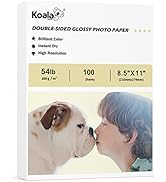
Koala Heavyweight Photo Paper offers 100 sheets of premium 4x6 inch glossy photo paper designed exclusively for inkjet printers. With a thick 230gsm weight and fast-dry, smudge-resistant surface, it delivers vibrant, professional-quality prints perfect for photos, invitations, and creative projects. Its watermark-free back allows for easy personalization, making it a top choice for millennial professionals who demand both quality and versatility.




| ASIN | B07F2D1J6S |
| Best Sellers Rank | #5,475 in Office Products ( See Top 100 in Office Products ) #28 in Inkjet Printer Paper |
| Brand | KOALA PAPER |
| Brightness Rating | 98 Lumen |
| Color | White |
| Customer Reviews | 4.7 4.7 out of 5 stars (1,661) |
| Date First Available | June 27, 2018 |
| Is Discontinued By Manufacturer | No |
| Item Weight | 8.1 ounces |
| Item model number | G230-4R |
| Manufacturer | KOALA PAPER |
| Manufacturer Part Number | G230-4R |
| Number of Items | 100 |
| Paper Finish | Glossy |
| Paper Weight | 61 |
| Product Dimensions | 4 x 6 x 0.6 inches |
| Sheet Size | 4x6-inch Inches |
| Size | 4"X6" |
H**S
Photograph paper Otimo.
I love this brand.
A**Y
Great purchase!
Why did you pick this product vs others?: This product print out a Beautiful picture. This is one sided thin photo paper. I mistakenly wrote it was double sided in another review. It worked well and I bought it again. Photo paper quality: Nice quality!
M**K
Works with Epson ET-8550 as long as you choose photo paper glossy
This was the lowest priced glossy paper I could find in the 13x19" size. My first print was bad. I was about to contact the seller and ask for help or complain but then I realized that I did not choose the correct paper type when printing. Yes my fault! So I printed the same image using the correct paper setting and the result was almost perfect. I did see a small roller line but that might be my printers fault. I am using an Epson ET-8550 and I am happy with how this paper looks especially for the price. If you are getting bad results with dye ink, check your paper type setting. My first attempt I had chosen plain paper and the image looked off color and the ink would rub off. After choosing photo paper glossy it solved the problem.
A**A
Great Paper Prints wonderful
Love this quality paper, prints well colors are vibrant, ink is dry, works great with Epson eco Tank printers Picture quality: Beautiful Smear resistance: no smear ink isnt wet Ease of use: No paper Jam
A**I
Superior
Think and good quality
A**R
Love/Hate this Paper
This paper and I have a Love/Hate Relationship. I love the weight, texture, and price of this paper for charts that I print for my classroom. I hate to have to feed the paper through my printer. My printer is an HP that requires the paper to be face down in the paper tray. It absolutely is a nightmare to get it to pull this paper from the paper tray. Once the paper goes into the printer, there are no problems and it looks fabulous. Getting the paper to pull from the paper tray is a huge problem. I fanned the paper in all directions before placing in the paper tray and then once again in the paper tray. I could never print more than a few pages without the printer giving me an out of paper error. Once I would get the error, I would pull the paper tray out, fan the paper two or three times, place the tray back into the printer, and anxiously await to see if the paper would feed. If it fed through the printer, definitely a victory dance. If not, I would repeat the fanning process all over. Most of the time, after going through this process a couple of times, the paper would pull from the tray. There were a couple of occasions that the process took three or four repetitions to get the paper to pull from the tray. (The printer does not have a place to single feed the pages or there would have been an easy resolution to the problem.) Why did I go through all of this instead of sending it back? Well, only a teacher that is printing in the middle of the night with no other suitable substitute would probably do this and I desperately needed the charts to be posted in my classroom the next day. Would I do it again? Yes, I will do it for approximately 70 more sheets of paper that I have. Will I purchase this paper again? I don't know. I will have to do some shopping. The feed issue makes printing rather laborious but the compliments on the projects make this require further deliberation.
J**E
Photo paper
Great for the price I love it great quality dries quickly comes out with great colors resistance good love the weight and stickiness
J**R
Me encanta este producto
M**O
Buena calidad para su precio
C**E
Photo paper fits my needs. Thanks again.
J**G
This paper works in both an ink jet printer as well as a laser printer. I heavy type paper.
A**.
The print side of the paper is glossy but the back side is matt paper. This gives a very cheap feeling of the print out.
A**W
Works great with my Epson ET-8550 printer. Had to play around with the paper settings to get the best printing quality; using the 'Premium Photo Paper Glossy' setting, but the pages turn out great and look professionally printed. No issues at all!
Trustpilot
1 month ago
2 weeks ago