
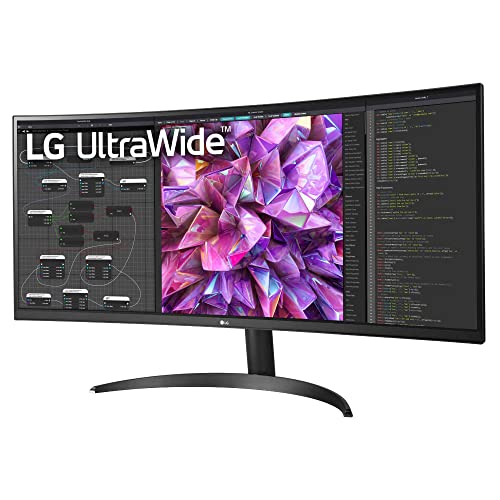

🚀 Elevate your productivity and creativity with panoramic precision!
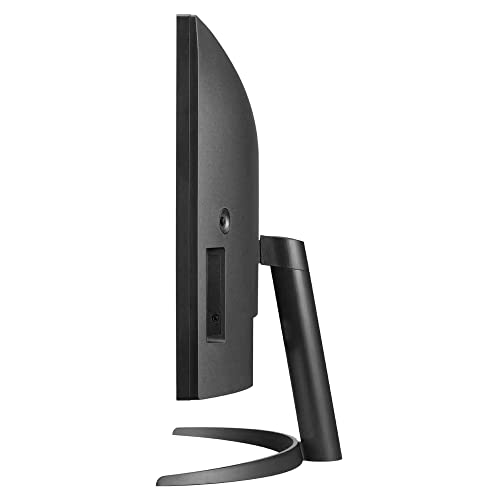
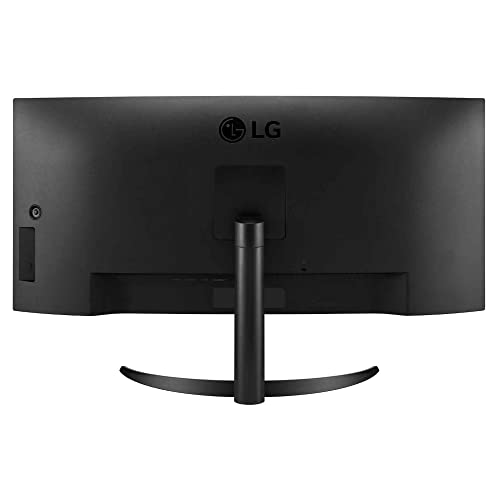
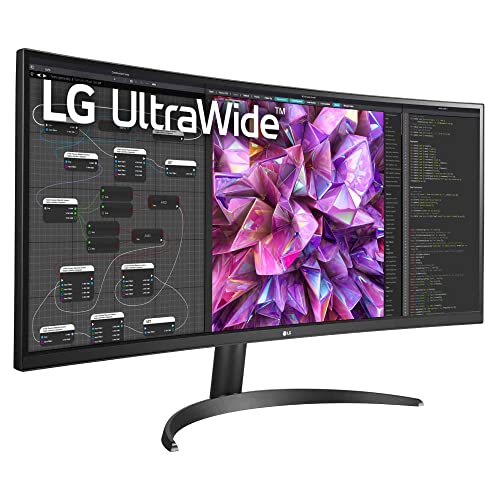
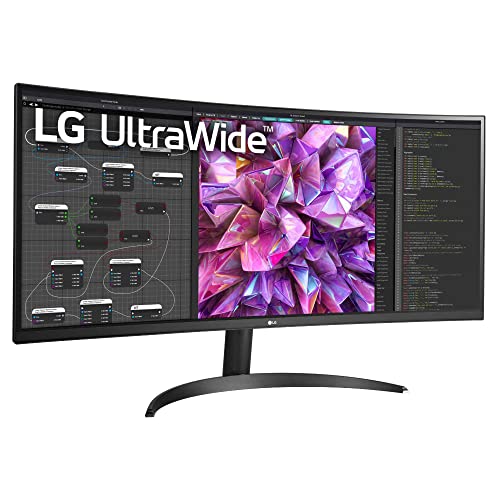
The LG 34WQ60C is a 34-inch curved UltraWide QHD monitor featuring a 3440x1440 IPS display with 99% sRGB color accuracy and HDR10 support. Designed for professionals and multitaskers, it offers versatile connectivity with DisplayPort, dual HDMI ports, and a USB hub. Its ergonomic design includes tilt adjustment and VESA mount compatibility, while AMD FreeSync and a 75Hz refresh rate ensure smooth visuals for both work and light gaming. Backed by a 3-year warranty, this monitor blends style, performance, and reliability for the modern workspace.


| ASIN | B0BRQZG5NB |
| Are Batteries Included | No |
| Best Sellers Rank | #7,703 in Computers & Accessories ( See Top 100 in Computers & Accessories ) #157 in Monitors (Computers & Accessories) |
| Brand | LG |
| Colour | Black, |
| Customer Reviews | 4.4 4.4 out of 5 stars (182) |
| Date First Available | 3 January 2023 |
| Generic Name | Monitor |
| Importer | LG ELECTRONICS INDIA PVT.LTD. A-24/6,MOHAN COOPERATIVE INDUSTRIAL ESTATE,MATHURA ROAD,NEW DELHI-110044 |
| Included Components | Power Cable |
| Item Dimensions LxWxH | 22.3 x 81.7 x 48.5 Centimeters |
| Item Height | 48.46 Centimeters |
| Item Weight | 6 kg 900 g |
| Item Width | 81.67 Centimeters |
| Item model number | 34WQ60C-B.ATR |
| Manufacturer | LG Electronic |
| Net Quantity | 1 Piece |
| Number of HDMI Ports | 2 |
| Packer | LG Electronics Nanjing New Technology Co. Ltd, NO.346, YAOXIN ROAD ECONOMIC & TECHNICAL DEVELOPMENT ZONE, NANJING, 210038, PEOPLE'S REPUBLIC OF CHINA |
| Product Dimensions | 22.33 x 81.67 x 48.46 cm; 6.9 kg |
| Resolution | 3440 x 1440 Pixels |
| Screen Resolution | 3440 x 1440 |
| Series | 34WQ60C-B.ATR |
| Standing screen display size | 34.14 Inches |
| Voltage | 240 Volts |
S**I
Great monitor for productivity, design and light gaming.
Posting this after a month of usage. Purpose for which this monitor was bought for 1. Productivity: I work with huge excel sheets, virtual desktops and other mainstream office productivity apps 2. Design: Photo post processing and HD video editing 3. Light gaming: FPS online games like Battlefield franchise Pros: 1. Monitor is IPS and the SRGB capability is great , so the picture quality is top notch and my unit didnt had any dead pixels too. 2. The monitor arm is a deal breaker here, its very agile and allows for a lot of movement compared to the pivoted monitor arm which had a lateral movement with vertical movement too. The arm also has an inbuilt cable management system. 3. The monitor and arm has great build quality , no glossy finish which will scratch and look bad overtime . Also the bezels on top and sides are negligible. 4. OSD menu is good and very simple 5. The resolution is 3440 X 1440 with max refresh rate @ 75 Hz, it has freesync but since I have a NVIDIA GPU I cant experience it fully 6. Has USB up connectivity with the monitor for connecting external storage and peripherals dedicatedly to the monitor for being able to share them with the connected PC. Cons: 1. For being able to use the 75 Hz refresh rate you 1st need to use a DP cable and the packaging didn't had one. There was only a HDMI cable that comes with the packaging and the max refresh rate it allows at 3440 X1440 resolution is 50 Hz 2. Monitor has a USB B type hub for the inbuild USB C ports but no USB B to C cable provided in the packaging. 3. Getting to 75 HZ with AMD freesync enabled is easy but if you have a NVIDIA GPU you need to manually add the refresh rate in the additional display options setting . But apart from this the monitor is a great addition for professionals.
P**G
Most versatile product in the ultrawide monitor game
I have done an extensive amount in research on monitors and honed in on this beauty. Specs wise, you are ready for the next couple of years at least. The USB-C power along with the hub functionality is a good deal, along with the inbuilt speakers and the fantastic, butter-like mechanism of the stand. It was a breeze to assemble and install, too! Not even a screw driver was needed! All in all, a fantastic product and worth the money!
A**B
Good monitor with a good stand
1. Use My use is mostly text heavy work - web browsing, office documents, programming. The monitor is well suited for the purpose. It has a DPI of about 110 which is just right. The text is rendered smooth and sharp. I am using Windows 10. (review will be updated for macOS). I did some light gaming and it worked well for me. 2. The panel The delta E out of the box is less than 5. So that's not going to work for any serious photography work or anywhere else where colour accuracy is important. There is light bleeding around the edges. Again, that doesn't bother me. But it is something to consider. The monitor specs say that it is capable of 75 Hz, but I could only see options to set the display frequency at 60 Hz. 3. The stand The stand deserves some praise. This monitor comes in normal stand and Ergo stand varieties. I have the Ergo stand variety. To me, its worth the premium. The stand has a variety of options for letting you position the monitor. Keep in mind that if you position the stand behind the center of the panel, you will need more space. For this configuration, your desk should be over 2 feet in depth. If the stand is positioned at one side of the panel, less horizontal space is required. 4. Installation Installation is easy. But you must have a large Philips head/cross type screw driver. There's no installation tool provided in the monitor. There are helpful videos on YouTube which will give instructions. 5. Accessories I'm taking one star off. The monitor has a USB hub and option for two USB peripherals to be attached. However, there's no USB-B cable for this hub. This is an expensive monitor and at this price point, it should come with USB-B type connector to A type connector. Overall, its a decent purchase.
R**T
Perfect for coding and trading
It's perfect. I use it for coding and trading, both of these activities are much eaiser with ultrawide layout. I use it for watching movies as well. I haven't checked FPS but clarity is perfect, text is smooth (i've done 125% zoom in windows settings). I use it with HDMI.
S**S
Best monitor in this price
This is the best that you'll get in this price. Colours are great too, but since I am not someone who does serious photoshop work, I can't vouch for it. Use a display cable for 75hz refresh rate. Ergo stand is extremely well designed and the build quality is great. Saves a lot of desk space. LG's software suite is really helpful to arrange multiple applications on a single screen. I mostly work with music so I have my separate speakers. That being said you can never really trust speakers that come at this price range. People would say this is expensive and this and that is missing. But, premium ultrawides start 70K plus. Almost at 50% cost you have WQHD and good picture quality. If you wish to be that picky then LG has other offerings that might suit your taste. Good day!
C**N
display is awsome & with ergo stand it's perfect comb
So good display. Perfect pair for productivity usage Pros : 2k resolution with hdr support Ergo stand( height+tilt+rotate+pull ) Matt finish to reduce glare ( best for the price) In built basic speakers Muti ports (hdmi, display port, USB( data and power out,aux ) Cons : External power brick Lacking High refresh rate (120/144...) Lacking display hdr 400 or above Conclusion. Overall very good product
Trustpilot
3 weeks ago
1 month ago