
DOWNLOAD THE APP


Customer Services
Copyright © 2025 Desertcart Holdings Limited
DOWNLOAD THE APP

🚀 Triple your screen, triple your productivity—work smarter, anywhere!
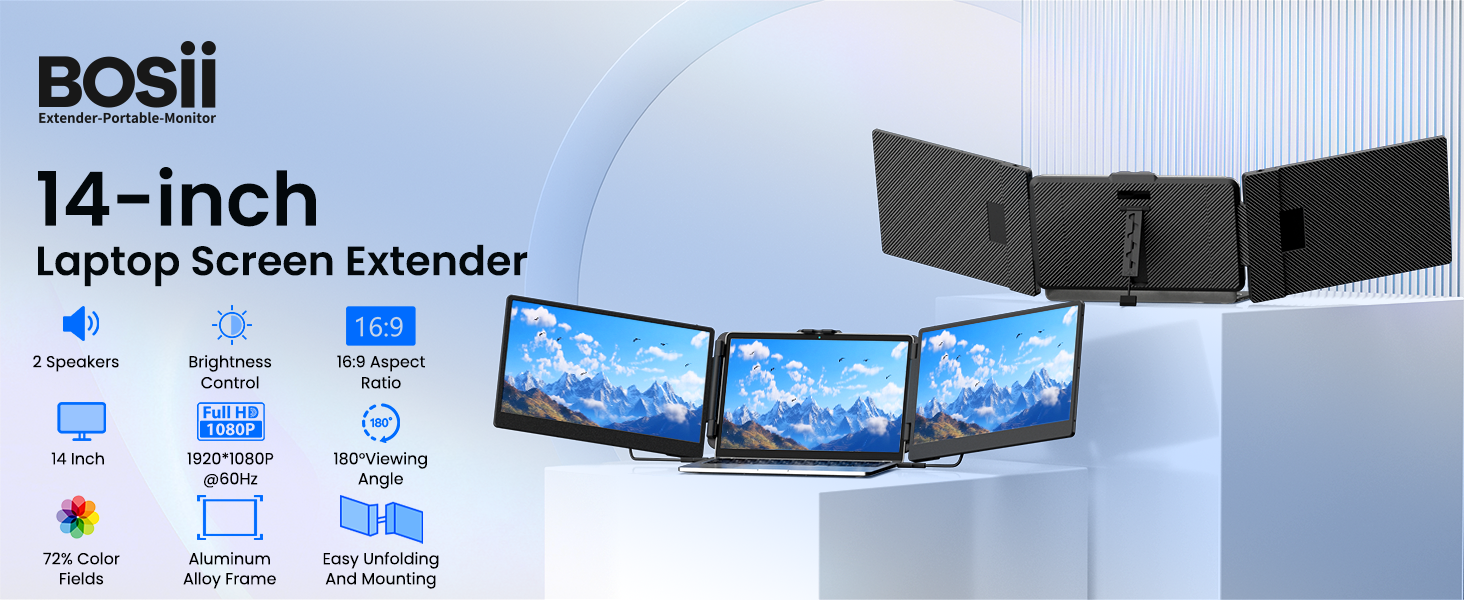
This 14-inch portable laptop screen extender features a triple IPS FHD 1080P display with 300 nits brightness and 178° viewing angles, delivering vivid, sharp visuals. With a fast 2ms response time and versatile HDMI/USB-A/Type-C connectivity, it offers effortless plug-and-play setup. Weighing only 3.57 lbs and equipped with a foldable, adjustable stand, it’s designed for professionals on the move. Compatible with most Windows and Mac laptops (except select models), it includes dedicated customer support and warranty for peace of mind.
| Total USB 3.0 Ports | 6 |
| Total Usb Ports | 6 |
| Total Number of HDMI Ports | 1 |
| Response Time | 2 Milliseconds |
| Display Resolution Maximum | 1920 x 1080 |
| Native Resolution | 1920x1080 |
| Resolution | FHD 1080p |
| Hardware Connectivity | USB |
| Connectivity Technology | USB |
| Item Dimensions D x W x H | 1.52"D x 13.9"W x 8.15"H |
| Item Weight | 1.66 Kilograms |
| Screen Size | 14 Inches |
| Voltage | 5 Volts |
| Viewing Angle | 178 Degrees |
| Brightness | 300 Candela |
| Pixel Pitch | 3.10 |
| Color Gamut | 45 |
| Has Color Screen | Yes |
| Refresh Rate | 60 Hz |
| Display Type | LCD |
| Display Technology | IPS |
| Aspect Ratio | 16:9 |
| Screen Finish | Glossy |
| Contrast Ratio | 1000:1 |
| Color | black |
| Mount Type | Desk Mount |
| Compatible Devices | Laptop, Smartphone |
| Special Features | Portable, Tilt Adjustment, Built-In Speakers |
| Specific Uses For Product | Business |
R**2
Screen is compact, easy to rotate, sturdy, stand is more durable
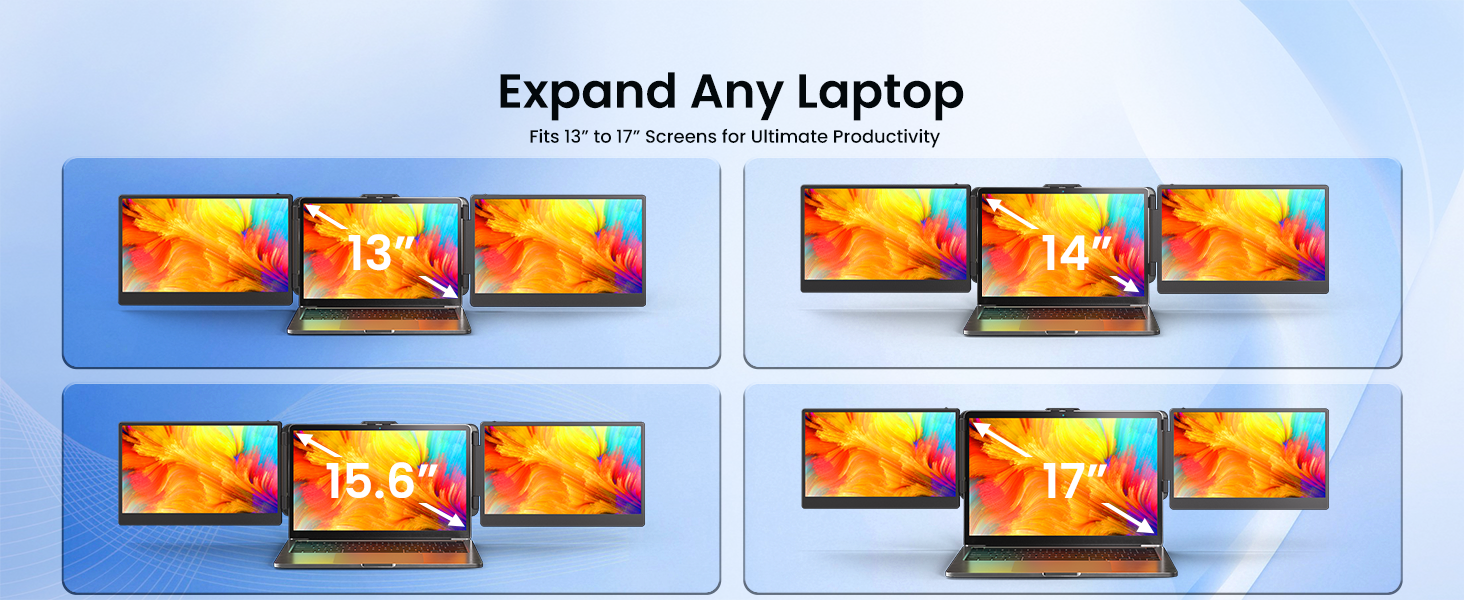
The one thing I like about this portable monitor is that it comes with it's own carrying case. The case is nothing too special. It has an opening on the top so your monitor still is exposed but it is made of decent material and has a pouch in the front for all your cables. There is a velcro strap that you can put on your actual monitors when it is closed to keep it from opening. The portable monitors are nice to have if you are looking for multiple screens that can attach to your laptop but this is not exactly something I can put on my lap anymore due to the extra weight. These monitors are thick but the actual frame is fairly thin for these screen sizes. Regardless of that it is pretty heavy having both monitors on my laptop. My lenovo can support the weight at certain angles but any movement will cause it to lean backwards from the weight. You could close one monitor if you only want to use one as needed. There is a clip on top to give extra support as well as the pressure pinch on the size. It has fits most monitors but be aware that if you have a thick monitor like a gaming laptop, it may not fit. You could however just use the clip on top to hold it but it may not look as nice. This will make your laptop bulkier and not something you can close. If you want stability, the laptop has a stand in the back to handle the additional weight of this monitor. The stand is a bit weird because you have to twist to extend. You can see the "latch" come off to know you can adjust the height. It stand is okay. This one is a bit weird in that it only uses type c on the actual monitor. It comes with a type c to HDMI cable if you want to use hdmi but it is not hdmi to hdmi. I would recommend that you use type c to type c whenever possible to reduce the amount of cables you need but you can use mini HDMI. If you decide to use HDMI to type c you will need to have two cables per monitor. The monitors do have sound output but it is not very loud. I have only been able to play out of one monitor at a time. I am not sure if you can play out of both from one source. I did try to play games on it and it is not too bad. It is definitely not the best monitor to use for gaming but it can be done. The nice thing is that you can easily unlatch this monitor. The latch is pretty strong so you should not have to worry about the latch falling off. The screen is not too easy to scratch but the monitor flips out so the monitor is facing out making it more prone to scratches. The cables are long enough to run from the laptop to your monitors. The type c cable is angled so it does not stick out but the HDMI cable is not nor is the USB A to Type C. One thing I should say that is nice but also can be annoying is that the plugs are in the inner back side of the monitor. It can be harder to plug into but it does help with cable management. There also is no usb hub so you may actually lose your ports. The monitors do not run hot but they will drain your laptop battery super fast. Overall the monitors work really well. It actually comes with a case so you do not have to shop around for a case. The monitors are decent screen size and the screen brightness and viewing is not bad. I am not a fan of the stand adjustment but it holds my screen up. The screens clamp and hold well. The cable port design is nice to help make the cables less messy. The cables provided is not too bad but basic. The sound quality is okay but do not expect anything too crazy. You can game on it but not the best for that. The material is also not bad and sturdy so you do not have to worry about easily cracking the screen.
D**M
Excellent and it’s a gamechanger
Easy deployment, elegant method of closure, if the lid of my laptop was skinny or thin, this would be amazing. Instead, I’m using a chunky computer and it would not attach to the lid of my computer, so I am using a iPad stand by above Tech, and it works amazing. Very satisfied with my purchase. It is not their fault that my computer is clunky.
H**W
Bulky and unwieldy but functional
It's rather weighty and a lot less portable than I'd like. The screens are fine, but they seem like they were made in the early 2010s rather than post 2020
M**R
Solved Issue
I am satisfied with the monitors. It retracts and extends depending on how far back you want to put your screen back. You can customize the setup of the monitors, the display isnt the best but it gets the job done. However I had an issue where one of my type C wires was not connecting to all 3 ports of my M4 macbook. I did my own little diagnosis, and was able to conclude that the wire was faulty to one of my ports to only my left screen. I was telling the support about it, he said my analysis was correct and sent me a free type C wire on the way! If i could recommend this company one thing, it would be to sell the type C wires as straight connectors instead of one being an L shape and to have better screen resolutions. End of the day Very happy with the product!
J**H
Don’t get for a Mac
Did not work with my MacBook, I could only get one screen to function which defeated the whole purpose. The monitor quality was nice and it came with a nice case I just wish I could have gotten to work as intended
T**Y
Very nice with one wish that is not granted
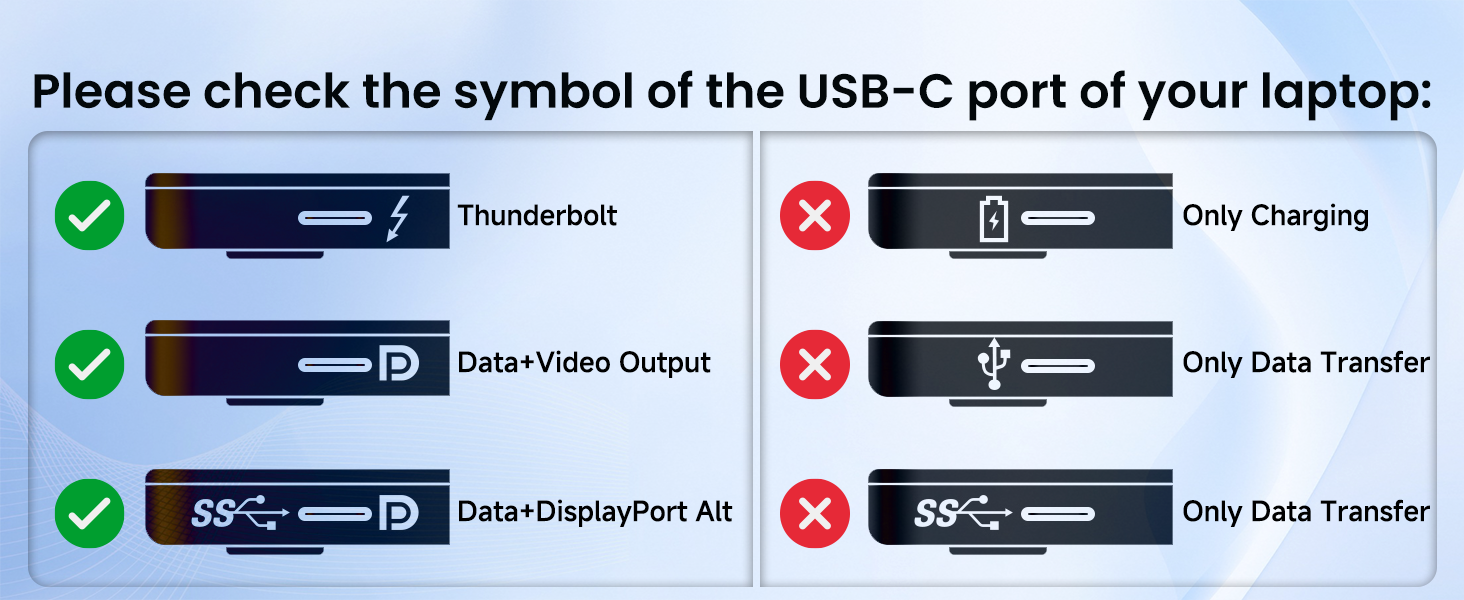
Two things that I'd add, which are sort of a bummer in the details:1. While the 2 USB-C ports on the monitors (each separate) are allegedly "full featured" -- not really. That is, they won't do both video and data, but WILL pass PD power through (so you can, for example, plug your power adapter into one panel and then have the panel's cord into the laptop's Thunderbolt port also pass through power along with the video to that display.) What you can't do is put a monitor on via the Thunderbolt and then plug an SSD drive into the other USB port on the monitor -- its not a "full hub" and the SSD won't be recognized. So "full-featured" really means "display to me + PD upstream feed back to the computer, plus I can pick off power for myself." Likewise you can't daisy-chain the monitors (e.g. feed one from the computer, and the second from the first) using one Thunderbolt port on the computer.2. The M2 version of this product appears to be able to take Thunderbolt in on one connection and drive BOTH panels either separately or "as one tall one." The S2 can't do that - they are physically and electrically separate panels with the spring "laptop screen grabber" in the middle. That has advantages and disadvantages - the separate connections means if you have one Thunderbolt connection and one HDMI, you can drive both panels that way (with a USB-A from the laptop or a separate USB power adapter providing power to the HDMI one.) But it would be extremely nice if you could use *one* Thunderbolt connection and drive both screens, which the M2 version supports and the S2 does not.Overall, however, this is a very nice option for travel. With both panels up plus an X1 Carbon laptop on a USB-PD adapter (with the laptop charged, so its operating current only) I measure approximately 20 watts total draw all-in doing ordinary web browsing. That's extraordinary for three screens plus a moderate (no GPU of course) CPU and SSD. It also implies about 2 to 2-1/2 hours of "off cord" runtime on a stock 57Wh battery starting fully charged, which is what those come with. For those people on battery power (e.g. in an RV without a generator running) this is serious power-sipping and thus game-changing since you can run a PD adapter to feed the laptop, never mind if you need to write code which really is tough on a single laptop screen but with three times the screen real estate it becomes entirely-competitive with my big Dell curved monitor at the house! Just be aware that if you're running the two panels off your laptop's internal battery the additional screen power draw is quite significant.Case and construction quality is good; I have no serious concerns in that regard, although the single wheel/push control on the top feels a bit cheesy and so is the kickstand. Then again how often do you need to futz with the control wheel? Probably never, so there you have it. Just watch the kickstand; if there's a weak spot in the physical construction its there, and in addition take care plugging and unplugging the cables. Physically the screens are an almost-exact match size-wise for the X1 Carbon series; I like setting the zoom level to 125% on these two panels but 150% on the Carbon internal display as a "best match" for icon size and such.Don't expect very high color fidelity; this is a productivity device, not a portable photo or video editing suite enabler and the panels definitely trend "cool" by enough compared with the Carbon's internal panel that its quite obvious. I haven't tried profiling the displays with my ColorMunki so I don't know if they are realistically correctable, but on a laptop without a GPU accelerator video editing is a non-starter anyway. On the other hand for coding and general business use that doesn't matter at all.My only other concern is whether the cabling provided is proprietary. There are labels saying "this end toward our product" implying it is. The HDMI one in particular looks like it probably is, and the Thunderbolt/USB-C ones might be. If the cables can't be separately replaced if they fail that's a potential problem over time, so do take care of them. The included carrying bag helps with that; its not fancy but is definitely serviceable and when folded the unit looks like its quite-well protected against accidental damage (obviously don't drop it of course!)If they updated this so both panels could be driven of one Thunderbolt port (a daisy-chain capability would be ideal since then you could split inputs thus drive it from two devices if you wanted to) it would be even better.Recommended, with the above caveats, especially at the asking price.
Trustpilot
1 month ago
2 days ago