
DOWNLOAD THE APP


Customer Services
Copyright © 2025 Desertcart Holdings Limited
DOWNLOAD THE APP
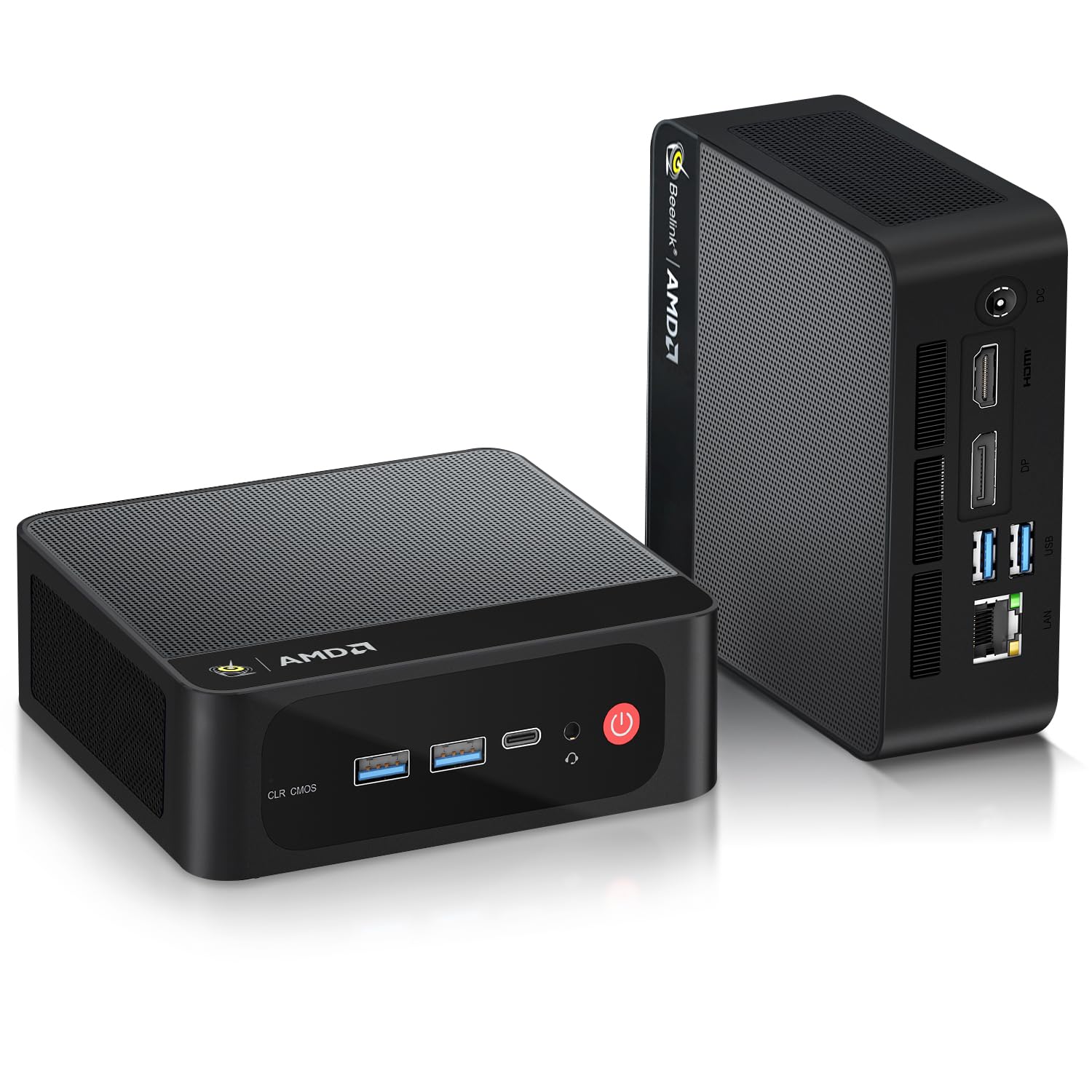
🚀 Compact Powerhouse: Elevate your workspace with 4K visuals and Ryzen speed!
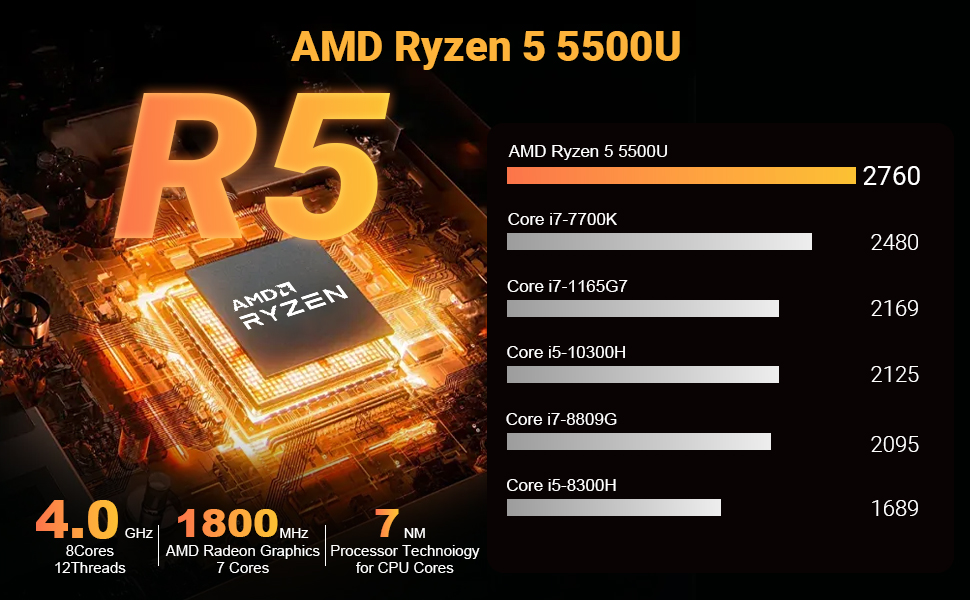
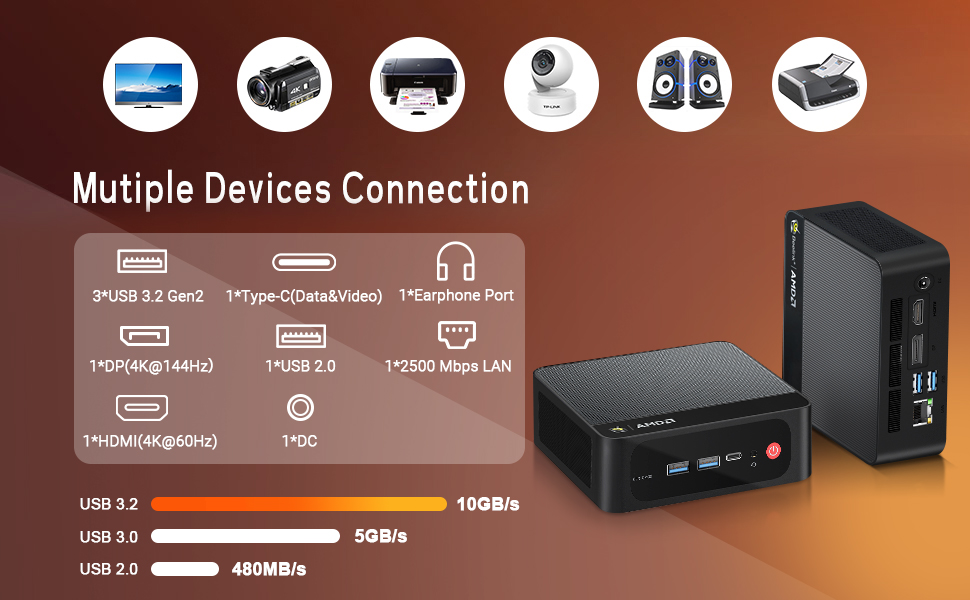
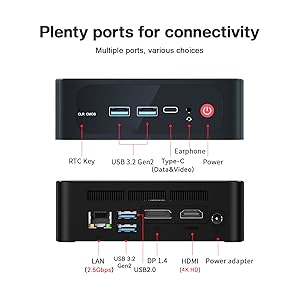
The Beelink SER5 Mini PC is a compact yet powerful machine featuring an AMD Ryzen 5 5500U processor with 6 cores and 12 threads, 32GB DDR4 RAM (expandable to 64GB), and a 500GB NVMe SSD. It supports triple 4K displays via HDMI, DisplayPort, and Type-C, making it ideal for multitasking and professional workflows. Equipped with WiFi 6, Bluetooth 5.2, and a 2.5G Ethernet port, it ensures fast and stable connectivity. Its efficient cooling system and Auto Power On feature enhance reliability, backed by lifetime technical support.


| Standing screen display size | 24 Inches |
| Screen Resolution | 3840 x 2160 |
| Max Screen Resolution | 3840x2160 Pixels |
| Processor | 4 GHz ryzen_5_5500u |
| RAM | 32 GB DDR4 |
| Memory Speed | 3200 MHz |
| Hard Drive | 500 GB SSD |
| Graphics Coprocessor | AMD Radeon Graphics 7core 1800 MHz |
| Chipset Brand | AMD |
| Card Description | Integrated |
| Graphics Card Ram Size | 32 GB |
| Wireless Type | 802.11ax |
| Number of USB 2.0 Ports | 1 |
| Number of USB 3.0 Ports | 3 |
| Brand | Beelink |
| Series | SER5 5500U |
| Item model number | SER5 |
| Hardware Platform | PC |
| Operating System | Windows 11 Pro |
| Item Weight | 1.96 pounds |
| Package Dimensions | 8.74 x 5.43 x 2.32 inches |
| Processor Brand | AMD |
| Number of Processors | 6 |
| Computer Memory Type | DDR4 SDRAM |
| Flash Memory Size | 500 GB |
| Hard Drive Interface | USB 3.0 |
| Hard Drive Rotational Speed | 0.10 |
A**E
Great little PC!
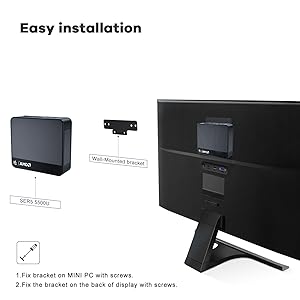
One word: WOW!!!I don't think I ever imagined a PC that can fit in the palm of one's hand, let alone be so very easy to set up and so FAST at what it does. I was left more than a little surprised how quickly the system updates completed.By comparison, my main PC is 9 years old and runs like a champ, but it's huge, heavy, and too old for Windows 11.There are plenty of connectors for USB and video. The package contains a mounting bracket and screws to attach the PC to a monitor. Bluetooth and wireless networking are a big plus. All I need in a very small package. The price (on sale) was too good to pass up. ZERO problems with setup or use. I installed the apps I need very quickly and they all run great.
L**T
Phenominal Cosmic Power... itty bitty living space!
OK, yeah, I borrowed a line from "Aladdin", and it's a bit of hyperbole, but the fact of the matter is that these mini PCs are tiny little powerhouses as long as you buy the ones with at least an AMD Ryzen 5 or Intel Core i5 processor, at least 16GB of memory and an NVMe SSD. A mini PC so equipped will perform on a par with a full-size desktop PC of similar specs, but will take up a lot less space, probably make less noise and will cost hundreds of dollars less.The main thing that these mini PCs will not do is be a graphics powerhouse. That's because for high-end graphics work, nothing beats a proper graphics card, and for that, you need a full-size desktop PC, most likely a custom one, since many of these graphics cards won't fit in what most major manufacturers call a desktop PC. But if your computing activities don't include Adobe Creative Cloud, CAD/CAM, editing videos with professional grade software or competitive online gaming, a mini PC will suit you just fine.Everything stated above is true of all mini PCs. There are several reasons why I particularly like Beelink mini PCs:1. I've tried several other brands of mini PC, and each has disappointed me in some way. The precise disappointments ranged from a defective PC, an incorrect PC sent (it was a drop-shipped unit, so this wasn't due to an Amazon error) and component choices that slowed the mini PC down to well below its potential. Beelink seems to have found an excellent compromise of price vs. performance, and none have developed any technical problems, so I've never been let down by one.2. Every Beelink mini PC I've tried, including this one, have come with a mounting kit for mounting the mini PC on the back of a monitor and two HDMI cables. The monitor mount, which includes screws, works with most monitors that have VESA mounting holes on the back. One HDMI cable is very short - under 12 inches/300cm - which you use when you mount the mini PC on the back of the monitor. The other HDMI cable is 3 feet/1m long, which you would use when not mounting the monitor. (For the metric snobs out there, yes, I am aware that my conversions are not precise. I rounded up the metric conversions to the nearest cm, as someone who normally uses metric measurements would most likely do when talking about video cables.)3. You can find cheaper mini PCs with what appear to be the same specs as Beelink's, and some of them are clearly made by Beelink's parent, which makes white-label versions of these mini PCs for other companies to equip and brand as they like. But as I said above, I find that Beelink is using better components than most other mini PC makers, particularly better-performing SSDs.I did dock Beelink one start in the Tech Support category because I find it difficult to find downloads on their web site for many of their mini PCs. I get the impression that they're introducing new models faster than their support people (person?) can organize and post the downloads for them. But other mini PC makers, not counting major manufacturers like Dell and HP, are no better at this, and I find that the Intel Driver and Support Assistant from Intel's web site (if your mini PC has an Intel wi-fi adapter), Windows Update and occasionally checking the AMD web site for new drivers will keep you current.
T**S
Way better than I expectes
Quiet, has many slots for everything I need, and runs fast and well. I use it for streaming and gaming. Handles everything well. This thing is awesome.
C**.
Great mini pc!
(Just for clarifications sake, I didn't rate the tech support as part of this review because it, at this point, has not been needed)I bought this for my mom, after one of my older mid-tower pc's I'd given her finally gave up the ghost to the point that I would need to replace several costly parts. She's older (senior citizen), but still decently tech savvy and has had no problem understanding the Windows 11 it comes with. It boots up in less than 15 seconds. Heck, probably closer to 10. She primarily uses it for e-mail, paying bills and playing browser based games on the AARP site like Word Find, Scrabble, OutSpell, ect. Never a hick up. I wanted to see how many tabs it could handle at a time before it started getting a little laggy. I had multiple news sites, Youtube videos and a streaming service on tabs. Switching back and forth between them, scrolling...even leaving the Youtube video running, while the streaming service was also running...worked great. All at 1080p settings. Not sure about 2k or 4k, because she has a 1080p 75hz monitor. But again...great, clear video/pictures.I like to game myself, so out of curiosity I downloaded World of Warcraft (current expansion) and I think I had the setting set on 7 out of 10 in game (quality/graphics settings) and I never noticed a single issue or stutter at 60fps. Also downloaded a gotcha game called Summoners Wars Chronicles. It defaulted to high settings, so I just played it at those settings for about half and hour...again, didn't notice any issues at 60fps. I plan on downloading my steam client and playing some more modern titles on it and see how it fairs. I don't expect much, but I expect it should play 2D, pixel art just fine. It could probably handle a lot of older titles, with the right emulators, just fine. When I do, I'll update this review. I never noticed it getting hot or at least it never got more than warm. I played those two games for about half an hour each. So not sure if it would have gone beyond warm if I played for several hours.Would recommend to and for anyone who does gaming with older titles or just wants to use the internet, watch some videos or streaming services while taking up little space. Oh, and this little thing honestly surprised the heck out of me when I tried to do a little video compressing, just out of curiosity. It finished the compression in like no time.Oh, and I deleted my games and video compression software off after I was done. I'm a good son, haha.
Trustpilot
1 month ago
5 days ago