Desert Online General Trading LLC
Dubai, United Arab Emirates
Desert Online General Trading LLC
Dubai, United Arab Emirates


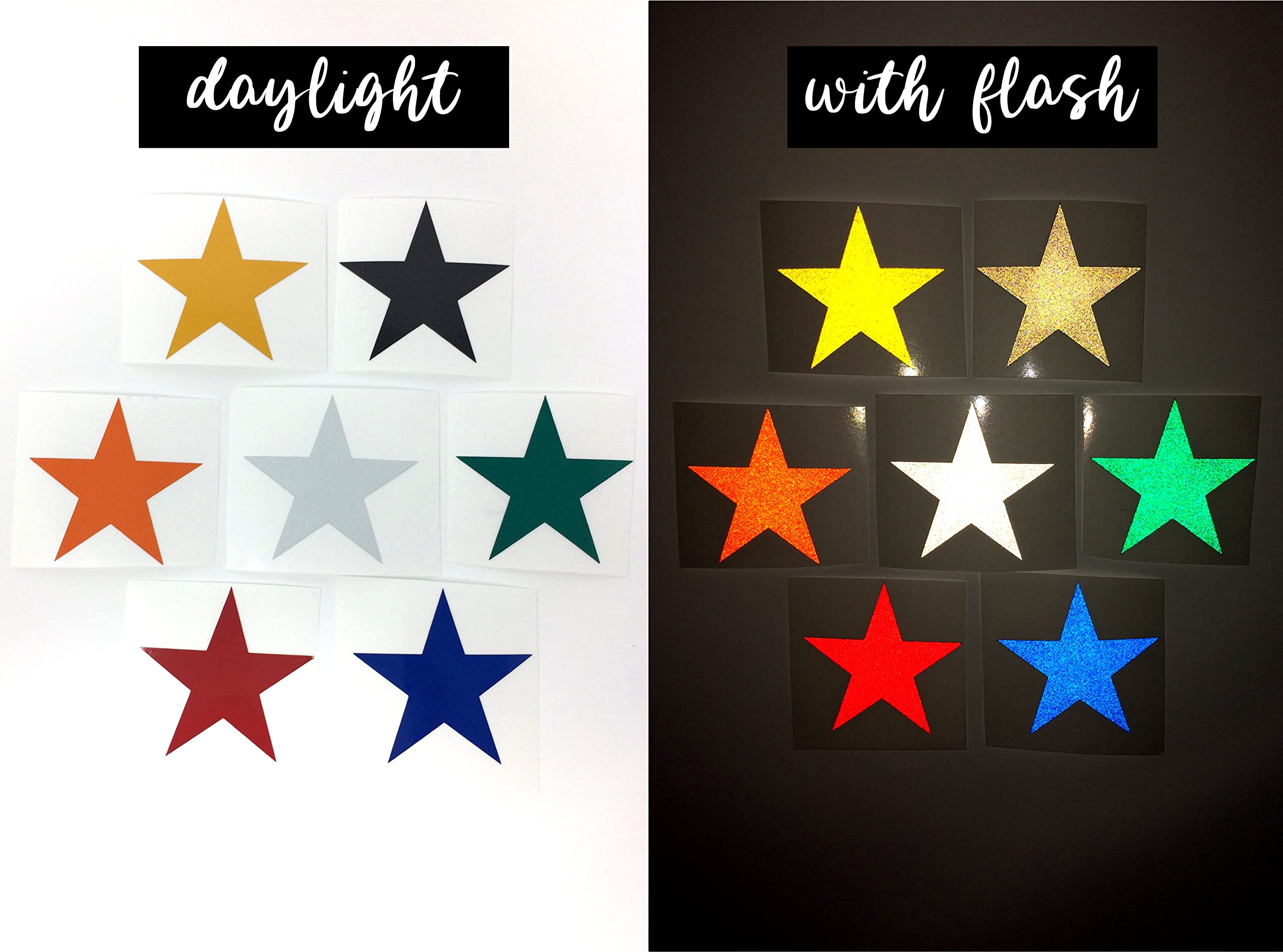


🔵 Reflect your boldest moves—day or night!
Turner Moore Edition Blue Reflective Vinyl offers a premium 3-pack of 12x12 inch sheets engineered for high retroreflectivity and durability. Waterproof, UV resistant, and weatherproof, this permanent adhesive vinyl lasts 7+ years outdoors and adheres to multiple surfaces. Ideal for safety decals, vehicle wraps, helmets, and creative projects, it’s compatible with Cricut and other craft cutters. Made in the USA by a family-owned business, it combines professional-grade performance with easy customization.
| Manufacturer | Turner Moore |
| Brand | Turner Moore Edition |
| Model number | TM-REFL-BLUE-3 |
| Product Dimensions | 30.48 x 30.48 x 0.13 cm; 209 g |
| Color | Blue |
| Shape | Square |
| Material Type | Blue Reflective Vinyl Adhesive |
| Number of Items | 3 |
| Size | 12" x 12" |
| Manufacturer Part Number | TM-REFL-BLUE-3 |
| Item Weight | 209 g |
A**A
Great for mailbox
I bought this to add numbers to the front of my mailbox and it has held up really well over the last several weeks despite some pretty bad weather. The material is extremely reflective and crisp, cut well on my cricut, and was easy to weed and work with.
K**.
Reflective vinyl
I used this for a mailbox decal. Easy to cut with my cricut using premium vinyl setting. No problems with adhering to the metal mailbox. They even sent a half sheet of another color of reflective vinyl. Would order from them again!
E**N
Works great!
Final product looks great! Used for numbers on mailbox. Has been out on the mailbox for months now and not peeling or cracking. No issues with cutting.
T**.
It helps to know what you are doing.
This vinyl does work, but I had some issues at first. I've only used my Cricut for decals once. I usually make tshirts, so I had to use some trial and error. I was actualy so disappointed with this product at first, I was going to give it a bad review. I'm glad I gave it a second chance. I decided to read some reviews and the product description again for a little guidance, and I was able to figure it out.Here are some instructions I came up with to help.* For my Cricut Explore Air 2, I set it to the dot between iron-on and light cardstock* You have to keep the shiny side up, paper side down* DO NOT reverse the image (used for iron on)* Use the weeder not to weed away the extra, but to hold the image onto the paper backing.* The weeder doesn't really work to remove the extra. You are essentially removing stickers from paper, so you can just peel it off with your fingers. But HOLD THAT IMAGE DOWN so it doesn't come up with the weeding.* Be SUPER CAREFUL not to allow the removed weeded pieces to overlap back onto the image. It's really sticky and will get stuck to your image, potentially causing damage. I cut the extra off every inch or so to prevent this from happening.* Then I used regular Cricut Transfer Tape to transfer the image. I scraped over the image really good with the Cricut scraper tool before carefully removing the tape.My project came out really nice. I'm using it on my mailbox, so time will tell if it holds up to the outdoor elements.
C**L
Great
This product is awesome. Highly recommend!!
Trustpilot
2 months ago
2 months ago