Desert Online General Trading LLC
Dubai, United Arab Emirates
Desert Online General Trading LLC
Dubai, United Arab Emirates




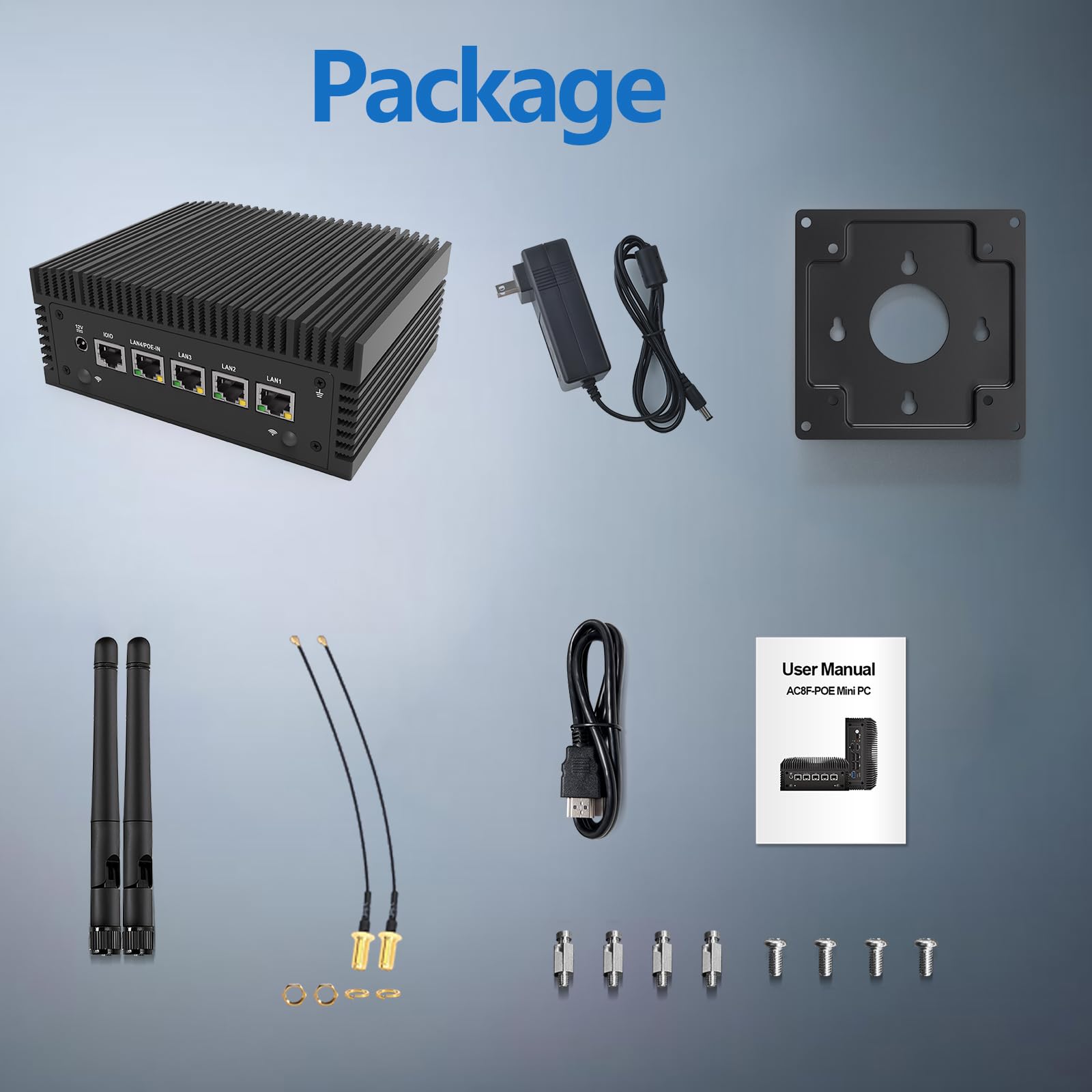
🚀 Power-packed Mini PC: Big Performance, Tiny Footprint!
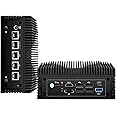
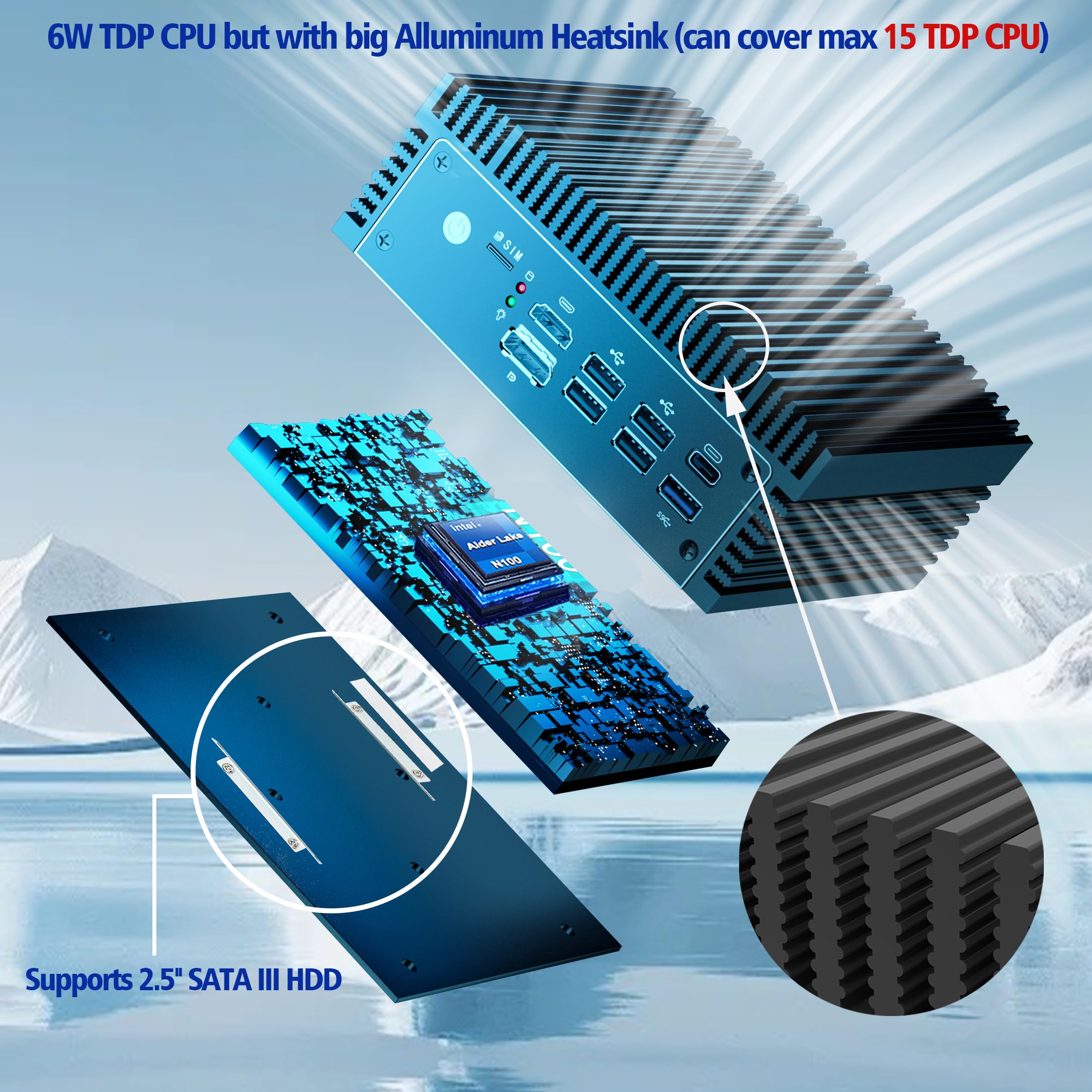
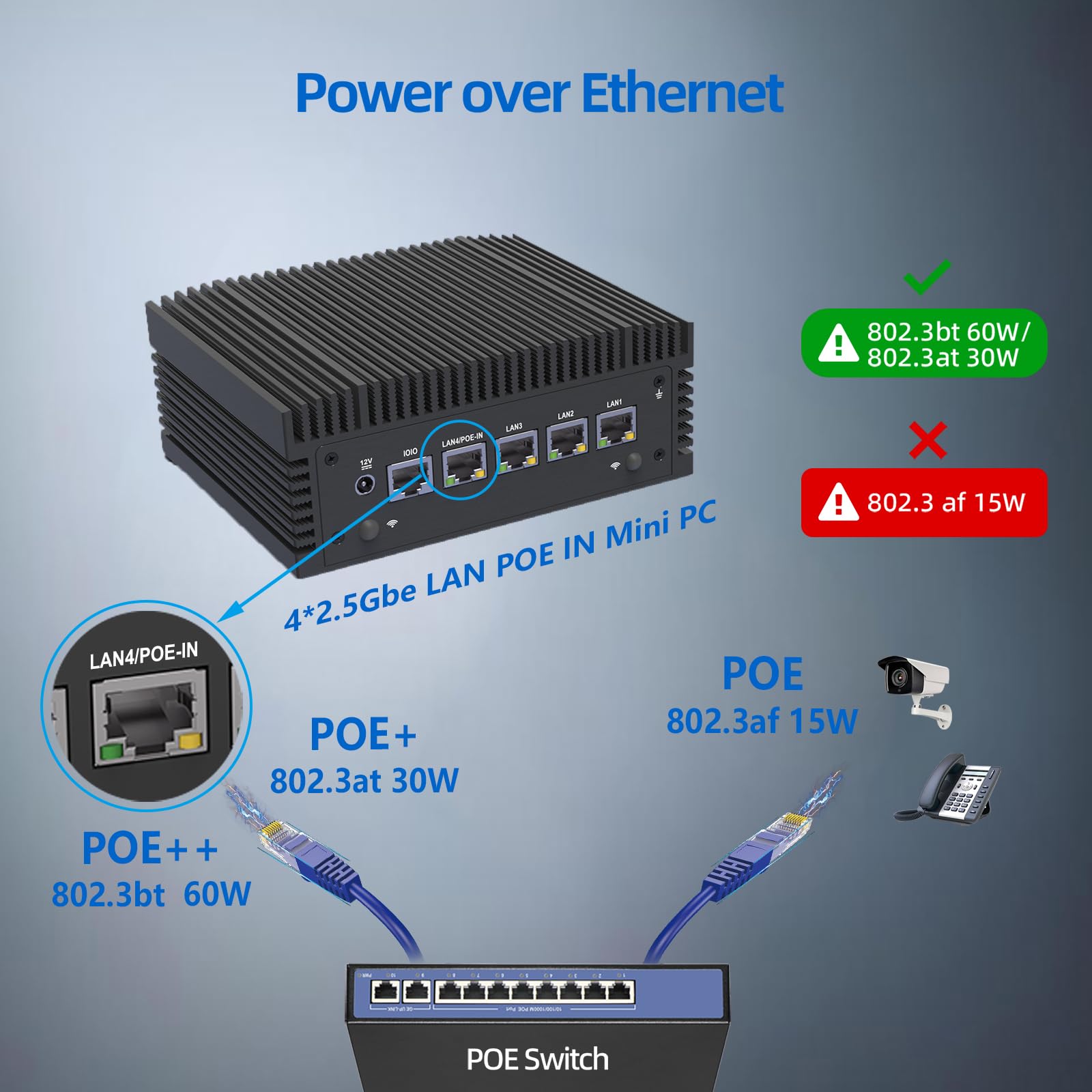
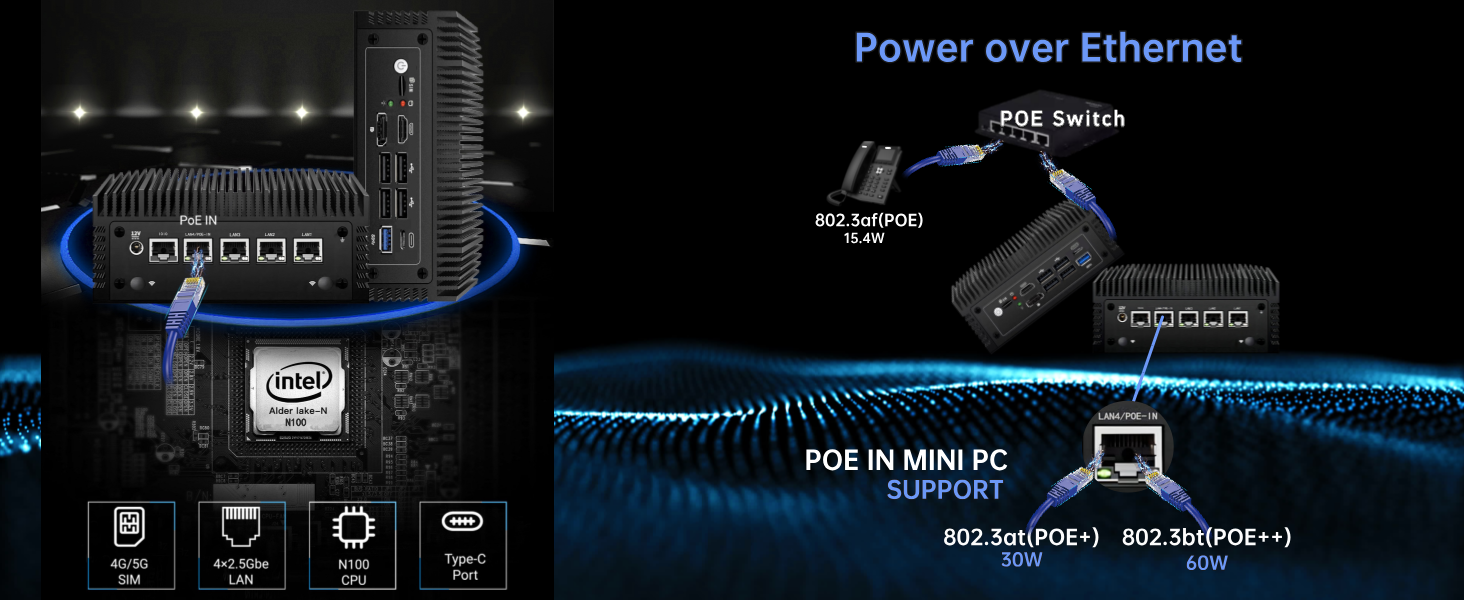
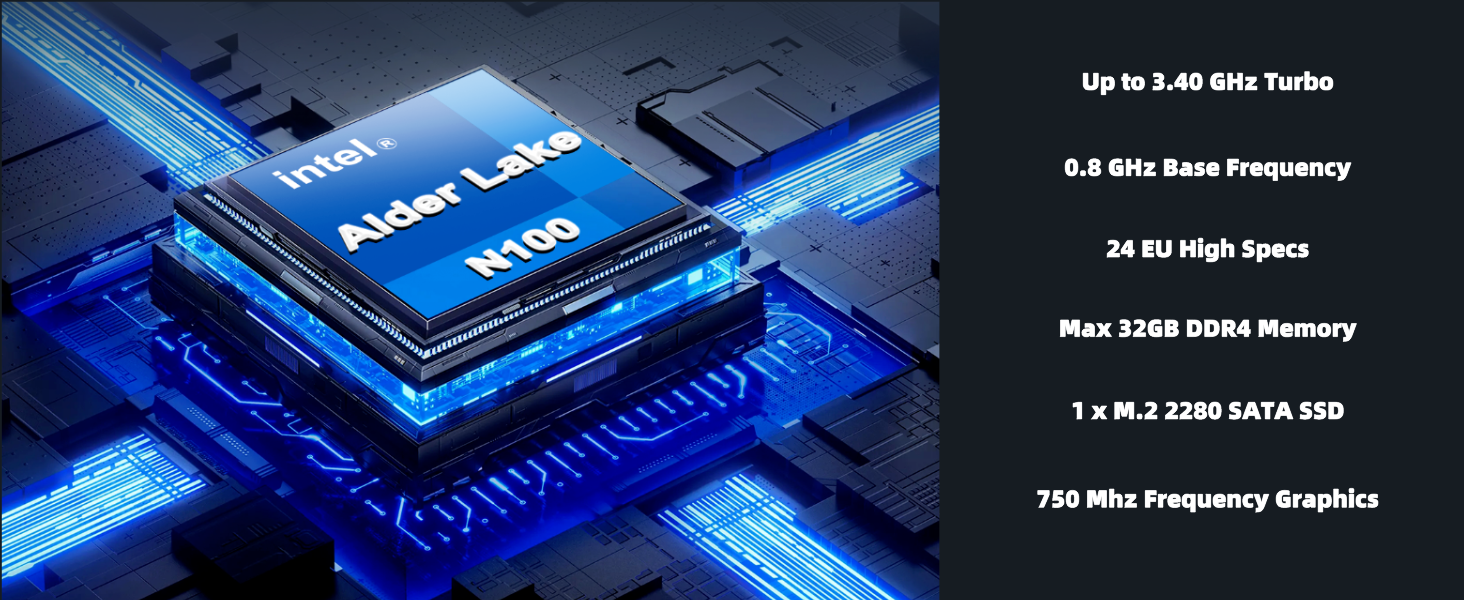
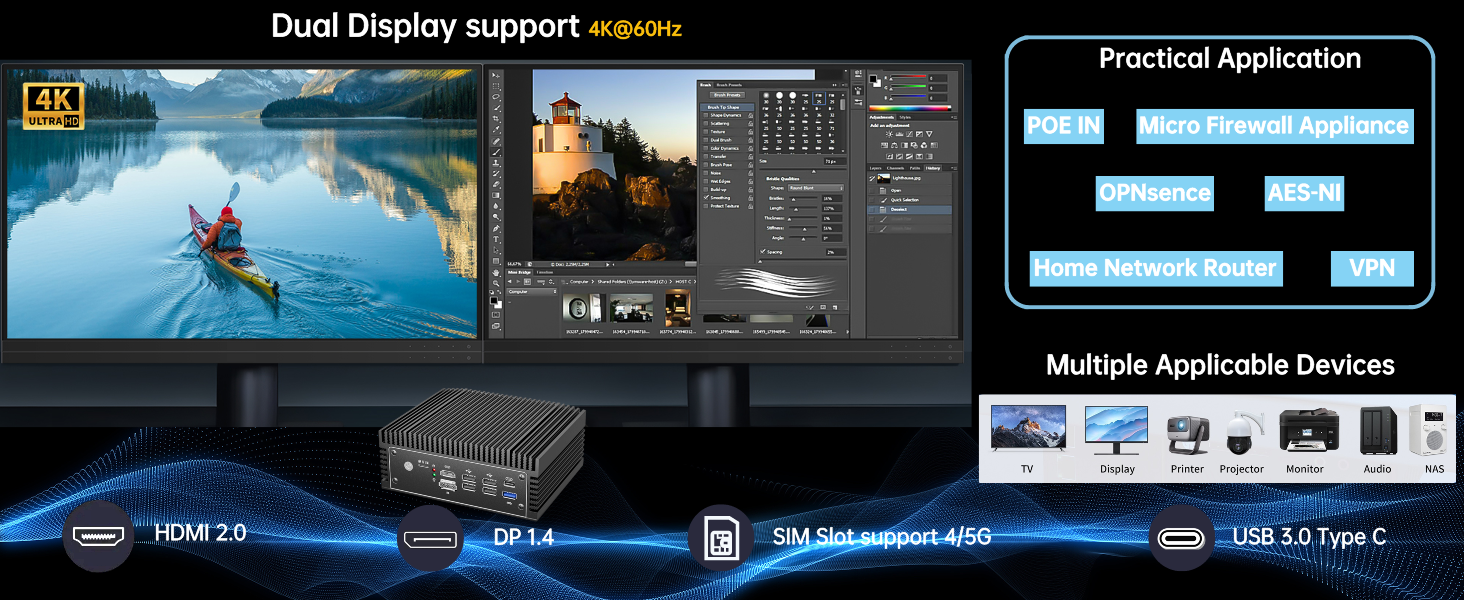
The FORTEKCHEKIN Mini Desktop Computer features an energy-efficient Intel N100 quad-core processor with a fanless design for silent operation. Equipped with 4 x 2.5GbE LAN ports including POE IN, it delivers ultra-fast and stable networking ideal for firewall and routing applications. With 8GB DDR4 RAM and 128GB SATA SSD, expandable up to 32GB RAM and 2TB SSD, it supports Windows 11, Windows 10, Ubuntu, and open-source firewall software. Its compact size and VESA mount compatibility make it perfect for professional environments demanding high performance in a sleek, space-saving package.
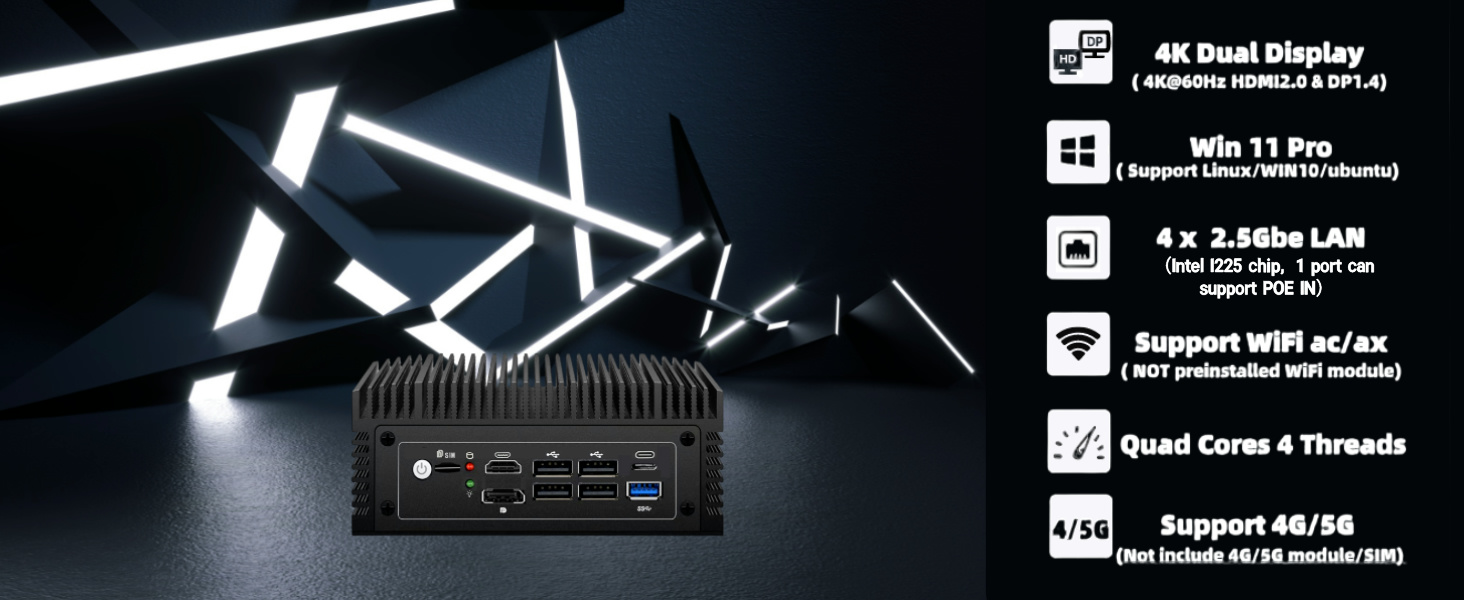
| Screen Resolution | 3840 x 2160 |
| Max Screen Resolution | 3840x2160 |
| Processor | 210 |
| RAM | 8 GB DDR4 |
| Memory Speed | 3200 MHz |
| Hard Drive | 128 GB M.2 2280 SATA SSD |
| Graphics Coprocessor | Integrated Graphics |
| Chipset Brand | Intel |
| Card Description | Integrated |
| Graphics Card Ram Size | 8 GB |
| Number of USB 2.0 Ports | 4 |
| Number of USB 3.0 Ports | 2 |
| Brand | FORTEKCHEKIN |
| Series | XXX-AC8F-YYY |
| Item model number | XXX-AC8F-YYY |
| Operating System | OS |
| Item Weight | 3.91 pounds |
| Package Dimensions | 11.34 x 9.65 x 3.66 inches |
| Color | N100 8+128GB |
| Processor Brand | n100 |
| Number of Processors | 1 |
| Computer Memory Type | SODIMM |
| Flash Memory Size | 128 GB |
| Hard Drive Interface | Solid State |
| Hard Drive Rotational Speed | 0.1 |
T**R
This little unit rocks!
This little unit came as expected (8g mem and 128g NVME) and is working like a champ! It came with Windows 11 Home preinstalled. I had a single 16g sodimm that I installed. I reinstalled with pfSense that runs pfBlocker and Suricata. Works great, and runs around 30% CPU load when everyone in the house is doing stuff. I have a 2gig connection and over 30 machines/devices that hit the internet that it is scanning. Would recommend!!
S**I
Excellent mini pc
I get this Micro Firewall Mini PC this week, I have to say, I'm impressed by its performance and fanless heatsink design. This device has become an essential part of my setup. it runs really well. 4 x LAN with intel NIC cards which really help with the stability.The first thing I attention to is the big heatsink design on such CPU, Celeron like CPU N100, it is professional design, I am sure this big heatsink ensure the CPU performance without any heat issue that caused by heat.this device pre-install the windows OS, that l can go into device easily and test it soon, it runs fast on surfing internet, watch video, open excel/word/pdf, I am sure it is not good for gaming because of this CPU. I will install the pfsense to make it as soft router in my homeone of the reason I pick this device is because it has 6 USB interface, that I need to connect a lot accessories, others most is only 4 USB interface.There is other feature: I see the SIM slot, PoE in, RJ45 COM, it is good points in such a device though I don’t use it right now, but I would like to say it offers excellent value for money, cost-effective
D**O
Great for Proxmox virtualization.
I have been using this MiniPC over 8 months ago, and it’s been excellent. I installed Proxmox VE 8.4 on it without any issues. I’m running virtualized systems like Sophos Home Firewall and OpenMediaVault, running 24/7 and they work perfectly.
J**R
OPNSense, No Problem.
Running OPNSense with 1 WAN and 2 different LANs going through it. I still have an extra port I could grown into. Memory stays around 10%, disk is at only 1% and the CPU is idle most of the time. Never had a blip with the intel NICs like I did with the Realtek ones I was suffering with before. Not afraid to run upgrades. It's great.
I**E
Excellent PFSense appliance
I had a lot of misgivings about this. A lot of it was centered around the fact that I wasn't sure about the hardware, and I was extremely worried that the NICs would be absolute garbage and I would be stuck with a great mini PC with terrible network cards.Thankfully they have proven to be quite good so far. All of my issues so far have been related to my inexperience with PFSense.Up until about 30 minutes ago I was having an intermittent issue that only showed up a week after I had set up PFSense. This will not be relevant to 99.9% of the people looking at this review, but if it is then you can thank me later.I run a Synology NAS that has a bunch of docker containers and does a lot of stuff that is exposed to the internet. There is a setting in PFSense called "Firewall Maximum Table Entries". By default it seems to be set to 400,000. Unfortunately, in my case that is not enough. You'll find that with this device you have a huge amount of horsepower and PFSense only uses a fraction of it, which is awesome.Because this machine is beefy and I have nothing to lose, I increased the value to 800,000 and the issue completely disappeared.I absolutely wholeheartedly recommend this device. PFSense has a learning curve, but I recommend following two YouTubers who have helped me immeasurably.NetworkChuck has a PFSense installation tutorial that is absolutely fantastic and does 99% of what most people will need.For those of you that are the 1% doing something special, check out Lawrence Systems. They have a ton of tutorial videos and they will be super useful.The only thing that I am still questioning about this device is where to get the Wi-Fi module and the LTE module. I think I would like to add a phone line to my T-Mobile service and put the SIM card in this device so that way I have dual WAN failover.
K**R
Love the PoE input
Got this for the PoE input, as there aren't many mini PCs that have the capability. I upgraded the ram and storage and installed Proxmox. Interface order is odd, but I figured it out after a few minutes. That's my biggest gripe with the unit. Otherwise, this thing is fantastic. Since it's fanless, it's absolutely silent. Would definitely buy again.
P**C
No m.2 nvme slot, only sata
ProsLow power consumptionm.2 slot for WiFi…that actually worksPOE in4x2.5gbConsOnly i225, not i226NO NVME M.2 SLOTS, but you can add multiple sata and a microSD. Horrible use of limited pcie lanes on this platformAbsolutely zero documentation of the jumpers or ports on the boardTo be honest, if I had been paying closer attention I would have noticed the listing clearly says sata m.2. That’s why I’m only dropping one star. At the same time it makes absolutely no sense to not include a nvme m.2 slot, which is, and has been for some time, industry standard minimum. I should not have expected a chinesium device to meet well-established minimum industry standards though. Thankfully I have a sata m.2 of sufficient capacity to put in this. Also, there is what appears to be a b-key m.2 slot. It does not work as sata. It is probably for a WWAN card. Again, totally non-existent documentation
Trustpilot
1 week ago
1 week ago
1 month ago
2 weeks ago